Campaign footer content type
Campaign-footer-content-type #EIFE version 0.1 | 1m 50s Read time
The dedicated campaign footer content type allows each country site to have its own customised footer, enhancing the user experience with targeted and relevant information.
This footer can include essential contact details, newsletter sign-up links, and social media profiles, providing visitors with direct access to key resources. By tailoring the footer to each country site, you ensure consistent branding and better engagement with your audience, while offering important touch points for communication and updates.
Creating a campaign footer
First got to domain content => your country site domain => Add content => Campaign footer
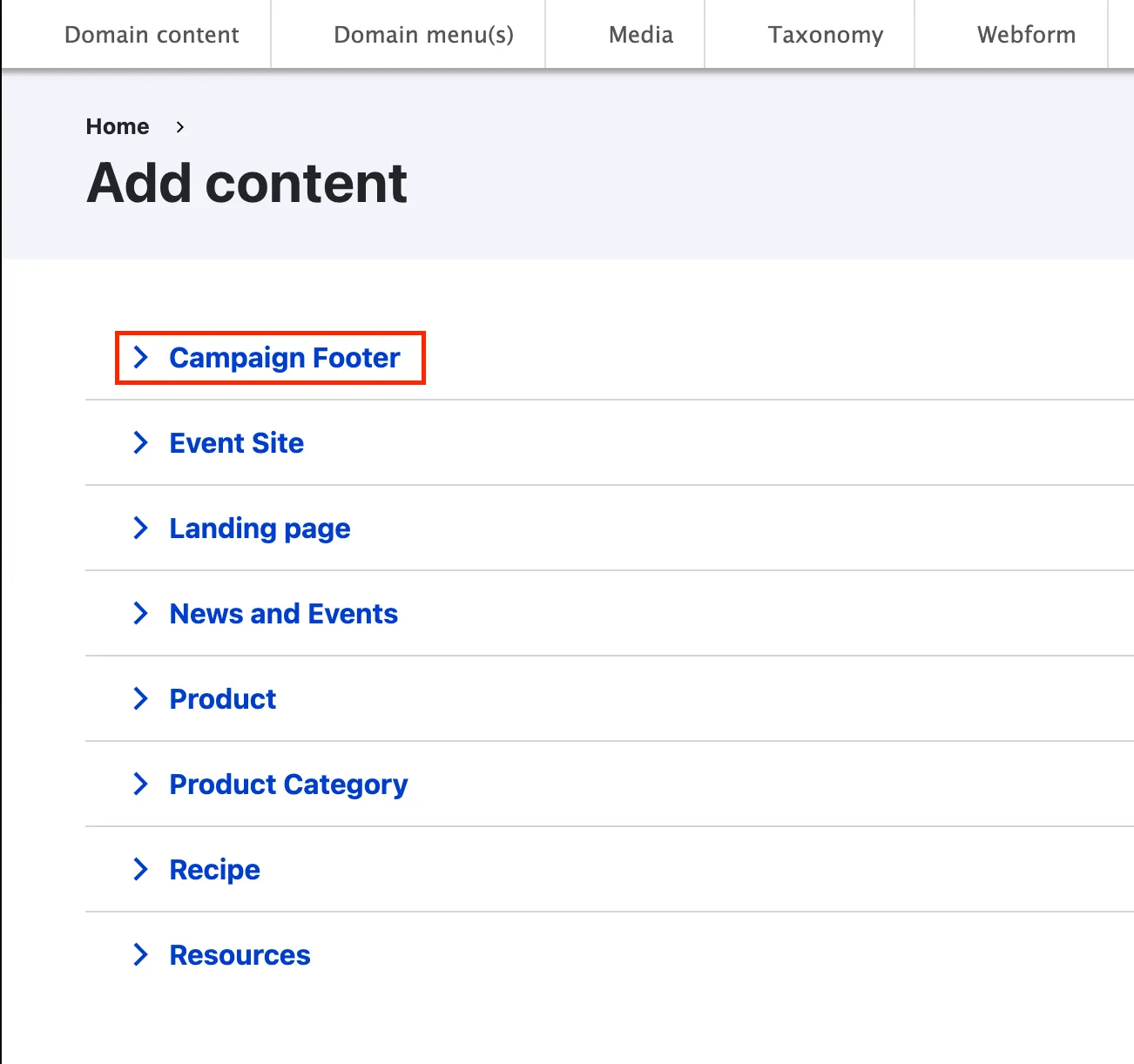
Campaign footers must be associated with a specific domain/country to be used on pages within that domain. It is essential that the title contains the word “default” if you want this footer to be automatically applied to all pages in the domain.
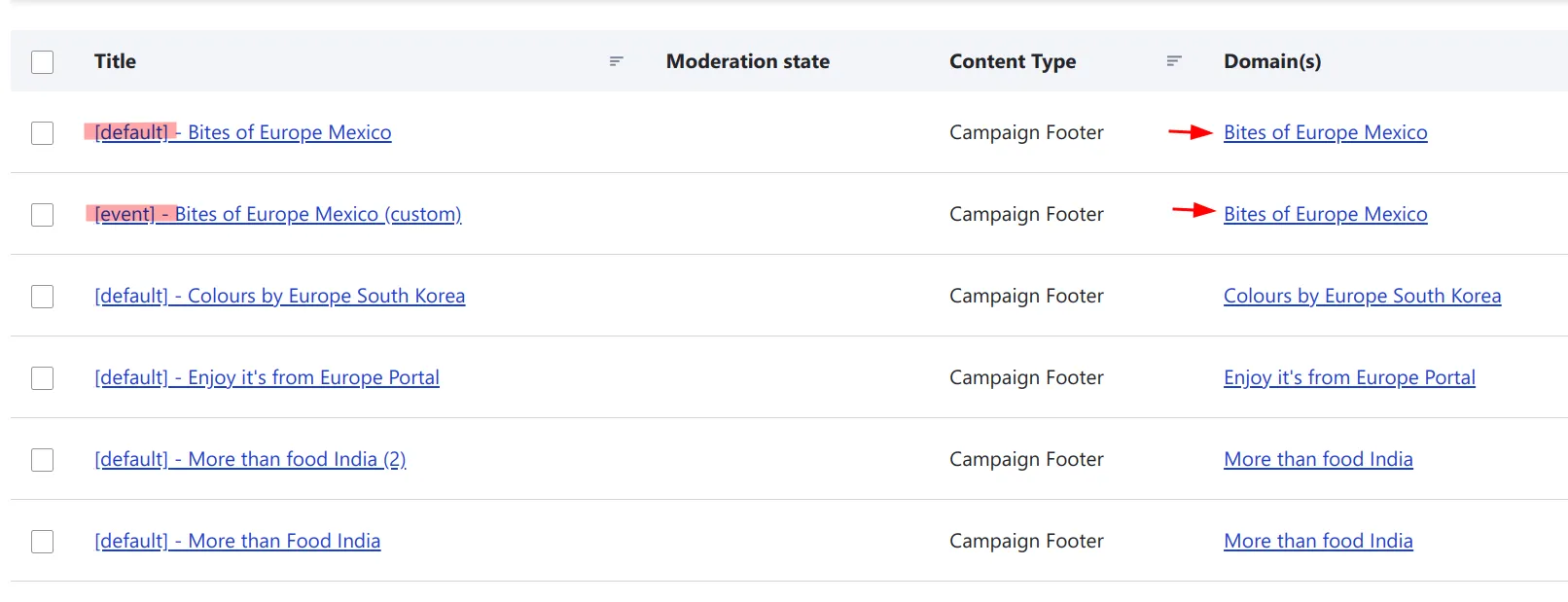
Some pages (such as event sites) allow you to override the domain default footer with a custom footer. These custom footers must also be linked to the same domain as the page but can have a different name.
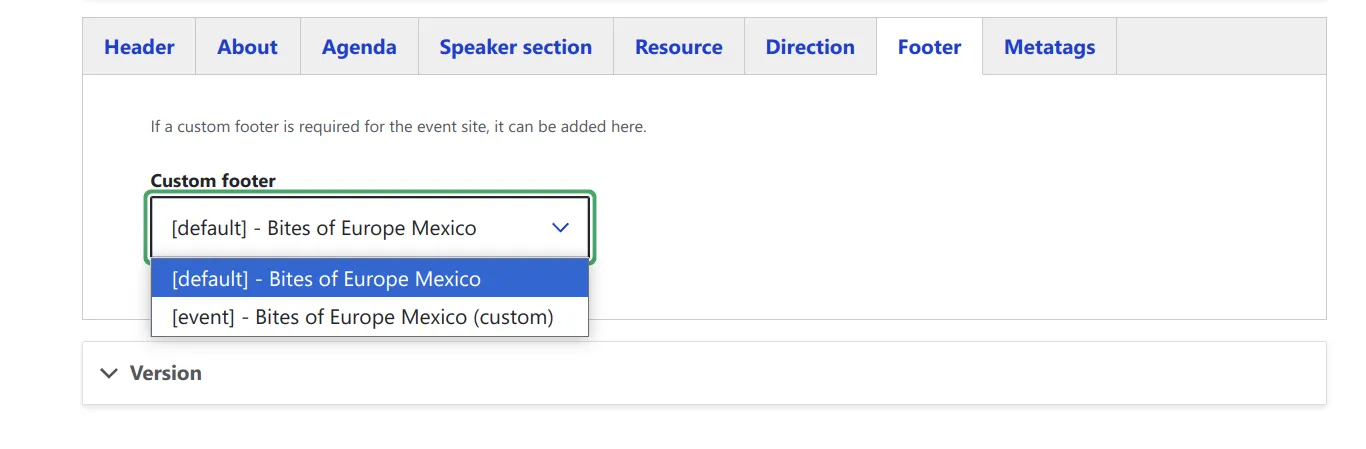
However, it is recommended to follow a similar naming convention, simply replacing “default” with “event” or “custom” to maintain consistency.
Naming convention
[usage] - comprehensive name related to the domain name
example: [default] - Bites of Europe Mexico
This naming convention helps maintain organization in the content management system while making it clear which footers apply to which domains and how they should be used. The [default] designation is particularly important as it signals that this footer will be automatically applied across all pages within that domain unless specifically overridden.
Campaign footer backend from tabs
As most content types, the campaign footer edit form is organised using tabs :
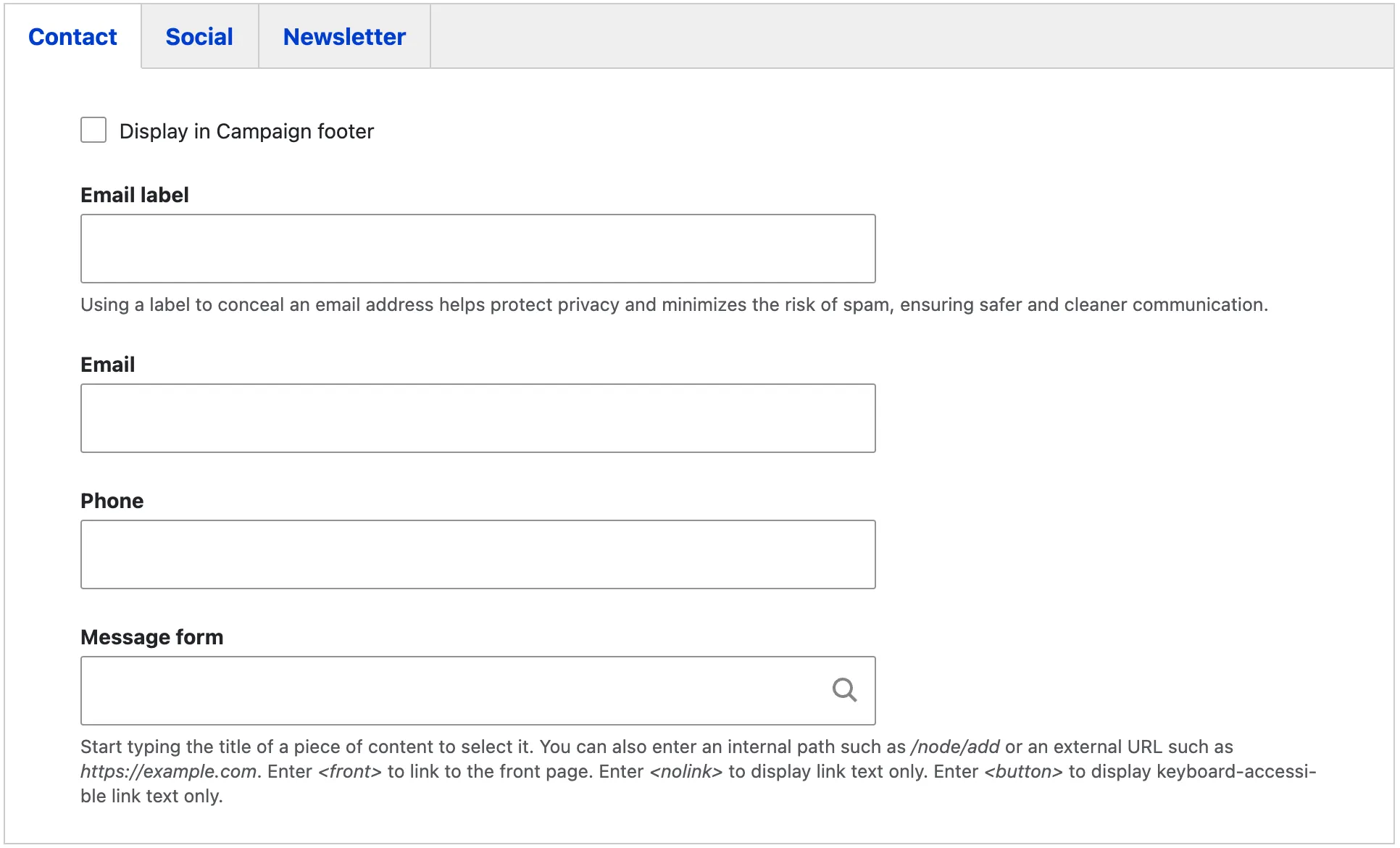
Contact tab
This tab contains the campaign organiser’s contact information. It includes an email label, which helps protect privacy and reduces the risk of spam, the campaign’s dedicated email address, and a phone number (if available). Additionally, there is an option to add a link to an internal or external contact form.
Selecting the “Display in Campaign Footer” checkbox ensures that this contact information appears in the footer of the country site.
Social tab
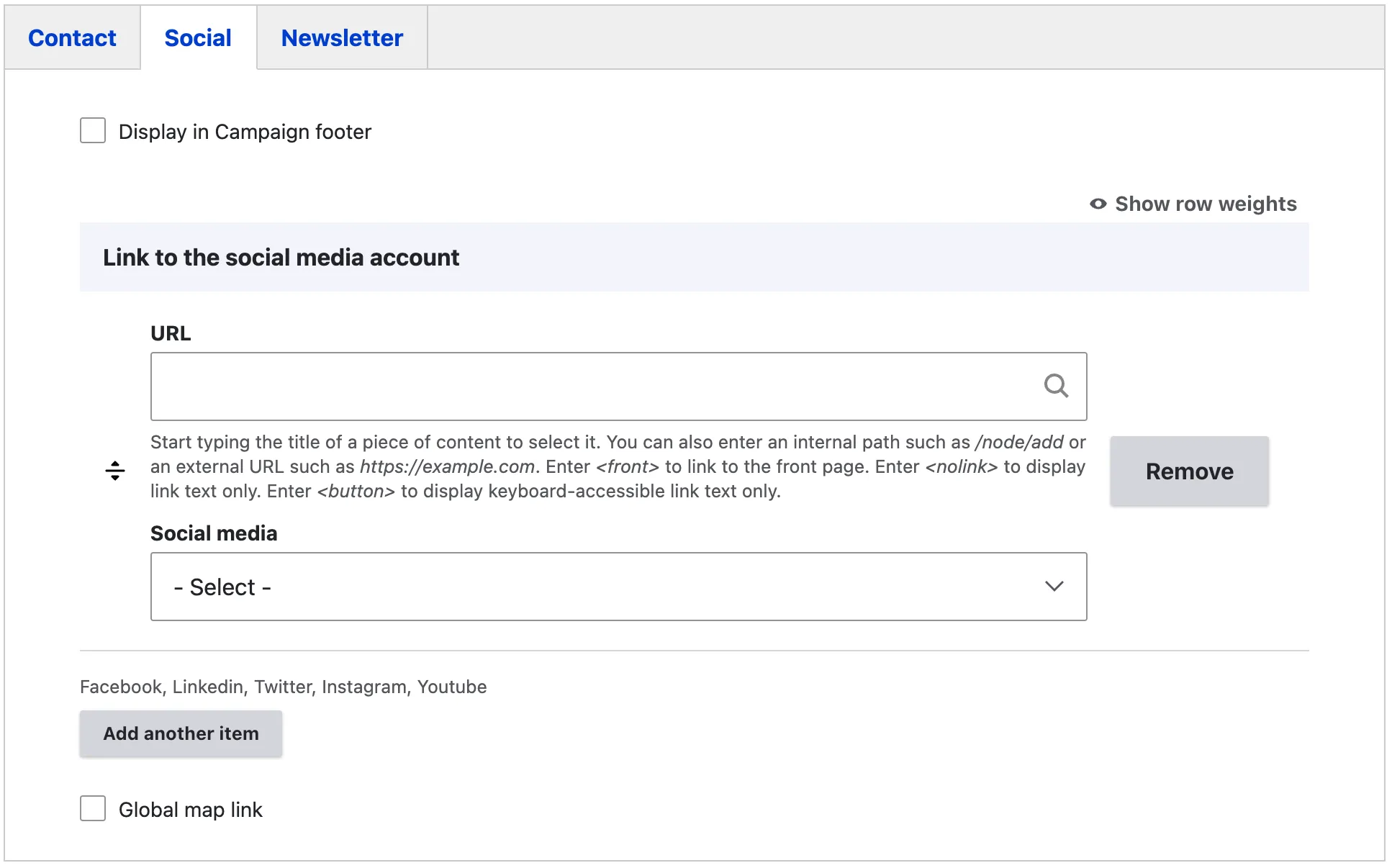
The social tab allows editors to add links to the campaign’s social media profiles. The URL should be a direct link to the profile, following this format: https://www.instagram.com/euagrifood. Editors can add links to major social networks, including Facebook, LinkedIn, Twitter, Instagram, and YouTube.
The global map link directs visitors to the portal’s main page: Enjoy, it’s from Europe! | Enjoy it’s from Europe Portal. This option is enabled by default.
Selecting the “Display in Campaign Footer” checkbox ensures that the social network information appears in the footer of the country site.
Newsletter tab
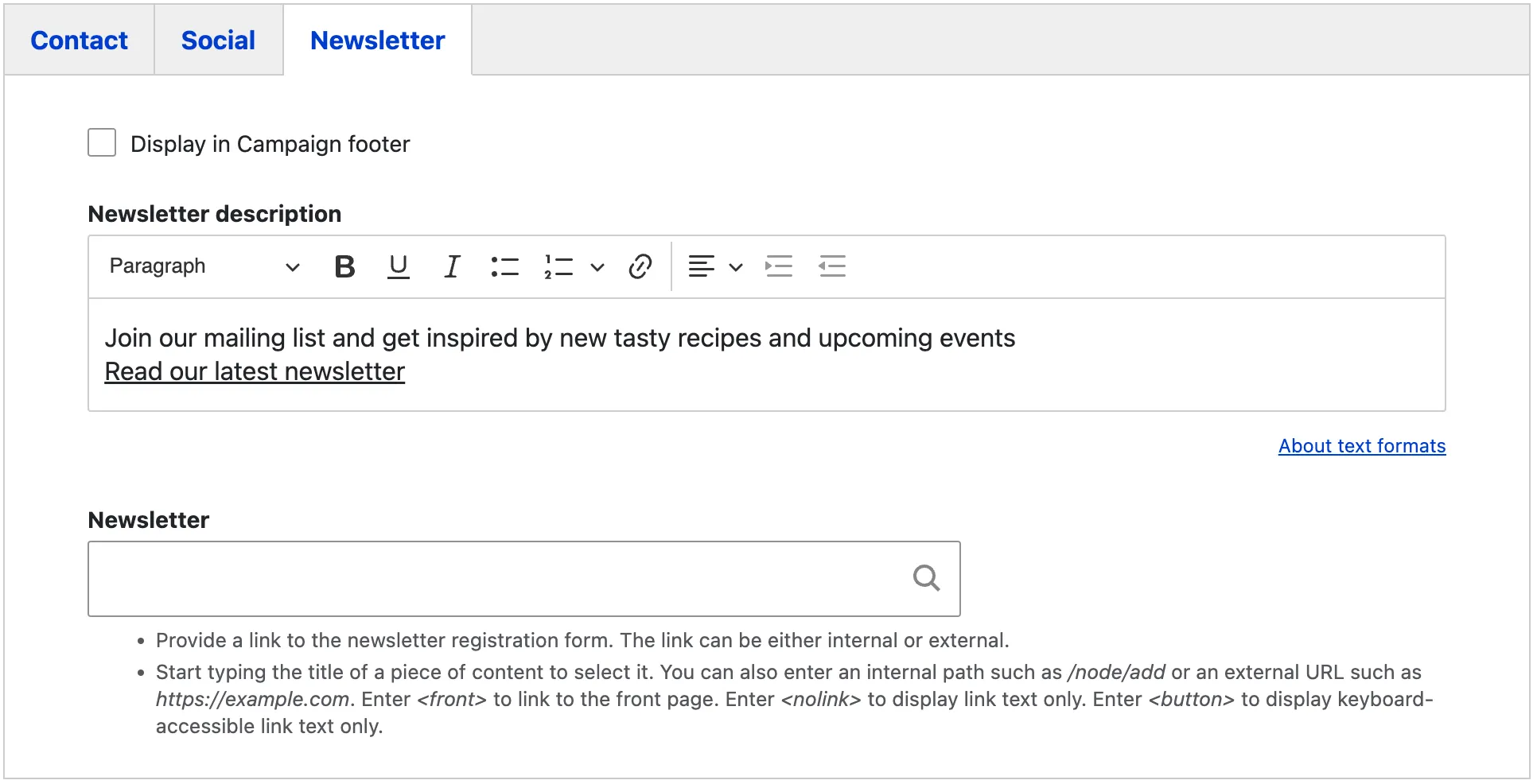
The newsletter tab allows editors to include relevant information about the newsletter, with a field for a short description or clarification of its purpose. Additionally, there is a field to link to a registration form, either hosted locally on the site or externally on a third-party tool approved by REA.
Selecting the “Display in Campaign Footer” checkbox ensures that the newsletter information appears in the footer of the country site.
Figma Mockup
