Metadata Options
metadata-options #EIFE version 0.1 | 55s Read time
The Metadata option in Drupal enhances your content with additional information to improve search engine visibility. This includes elements such as page titles, descriptions, and keywords, crucial for effective SEO (Search Engine Optimisation).
Key Features
- Default Settings: Automatically applied to all content, these default settings provide a consistent SEO foundation across your site.
- Customisation for Content Types: Tailor metadata for various content types such as articles, blog posts, and product pages to meet their specific SEO needs.
- Dynamic Metadata Using Tokens: Use tokens to automatically insert values like content titles or author names into your metadata, ensuring accuracy and saving time.
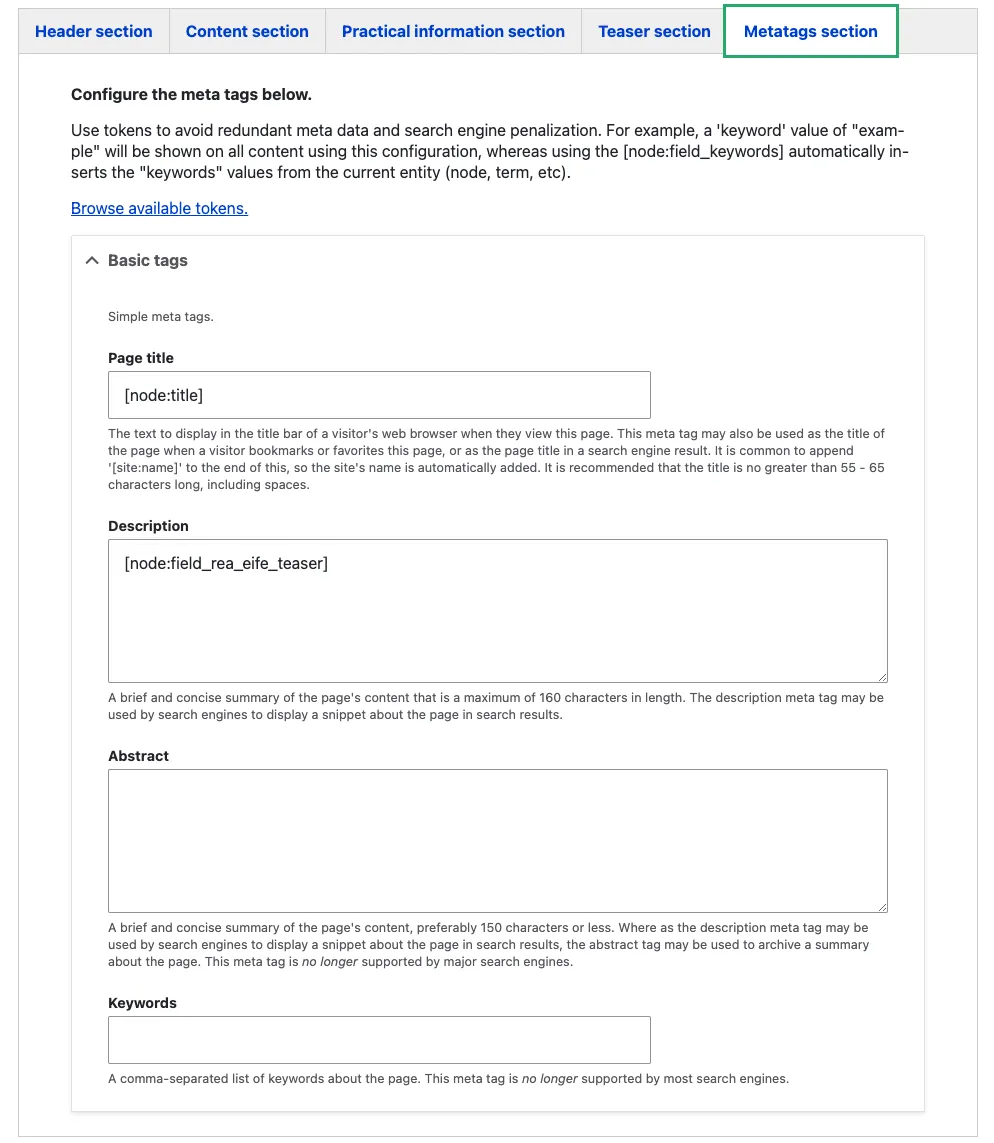
- User-Friendly Interface: Accessible via the content editing form under a section labelled “Meta tags section”, this interface allows easy entry of metadata values.
Editing Metadata
When creating or editing content, you’ll find a “Meta tags section” on the form. Here’s how to use it:
- Meta Title: Craft a concise, informative title that will appear in search results, reflecting the content accurately and incorporating relevant keywords.
- Meta Description: Provide a brief overview of the page content, aiding search engines and users in understanding its relevance.
- Keywords: While less crucial than previously, including relevant keywords helps categorise your content.
Using the Metadata option effectively can significantly boost your content’s visibility and ranking on search engines, making your website easier to find.