Product category content type
product-category-content-type #EIFE version 0.1 | 2m 20s Read time
The “Product Category” content type in the EIFE portal helps organise products into groups such as vegetables, cheese and dairy, and pasta and cereals. It includes a carousel display to showcase products within each category, making it easy for users to browse visually. This content type integrates with the “Product” content type, ensuring each category displays relevant products with detailed information.
Creating a product category
First got to domain content => your country site domain => Add content => Product category
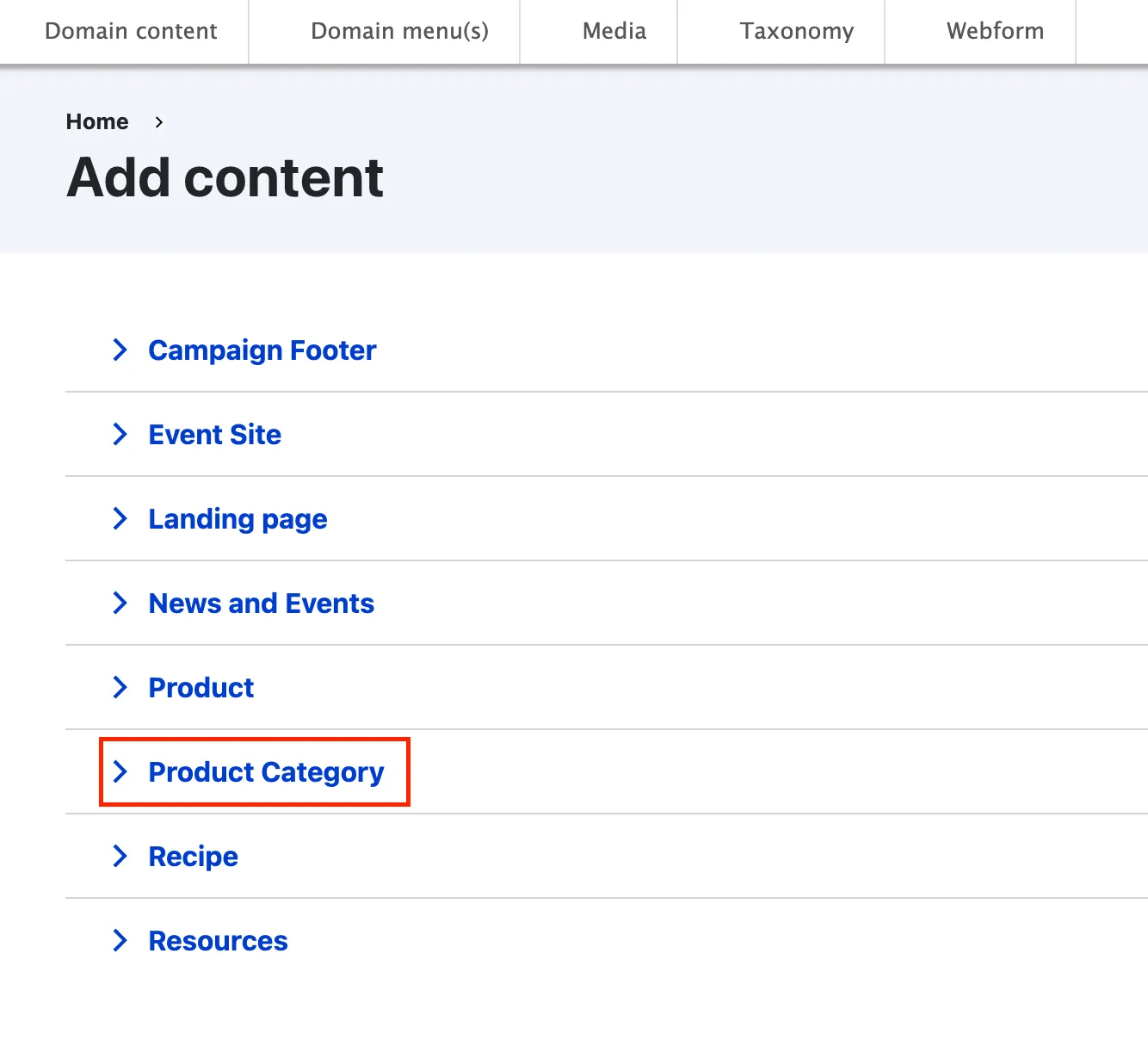
Product category backend from tabs
As most content types, the product category edit form is organized using tabs :
Header section tab
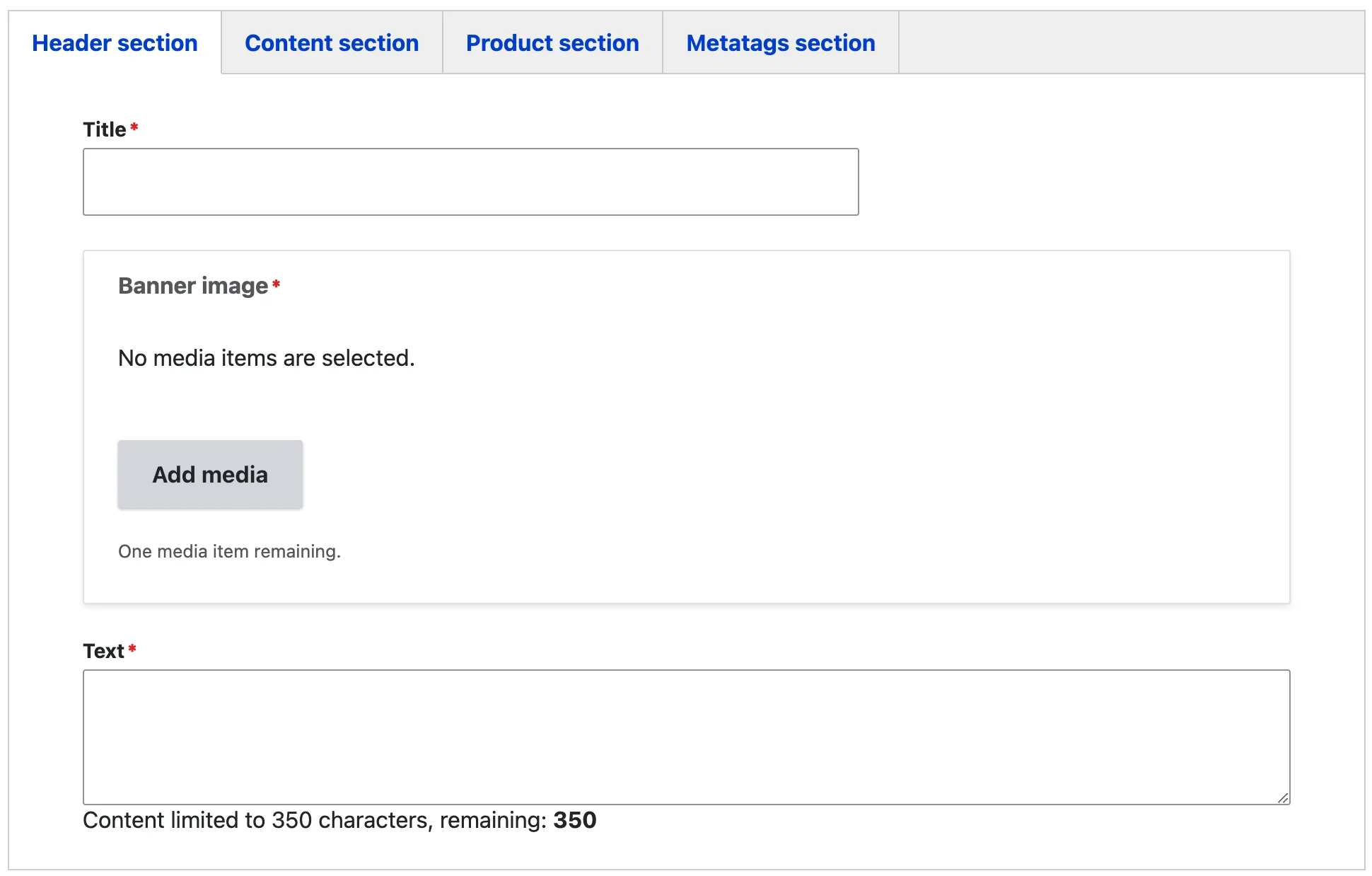
The title of the product category acts as the H1 heading of the page, providing a clear and concise overview of the category. This title is prominently displayed within the banner alongside a descriptive text, which is limited to 350 characters for optimal readability.
When selecting a banner image, it’s best to use a horizontal image that maintains a 16:9 aspect ratio. A recommended size is 1920x720 pixels, but any image that follows these proportions will display correctly without any unintended cropping or distortion. This ensures that the banner looks visually appealing across all devices.
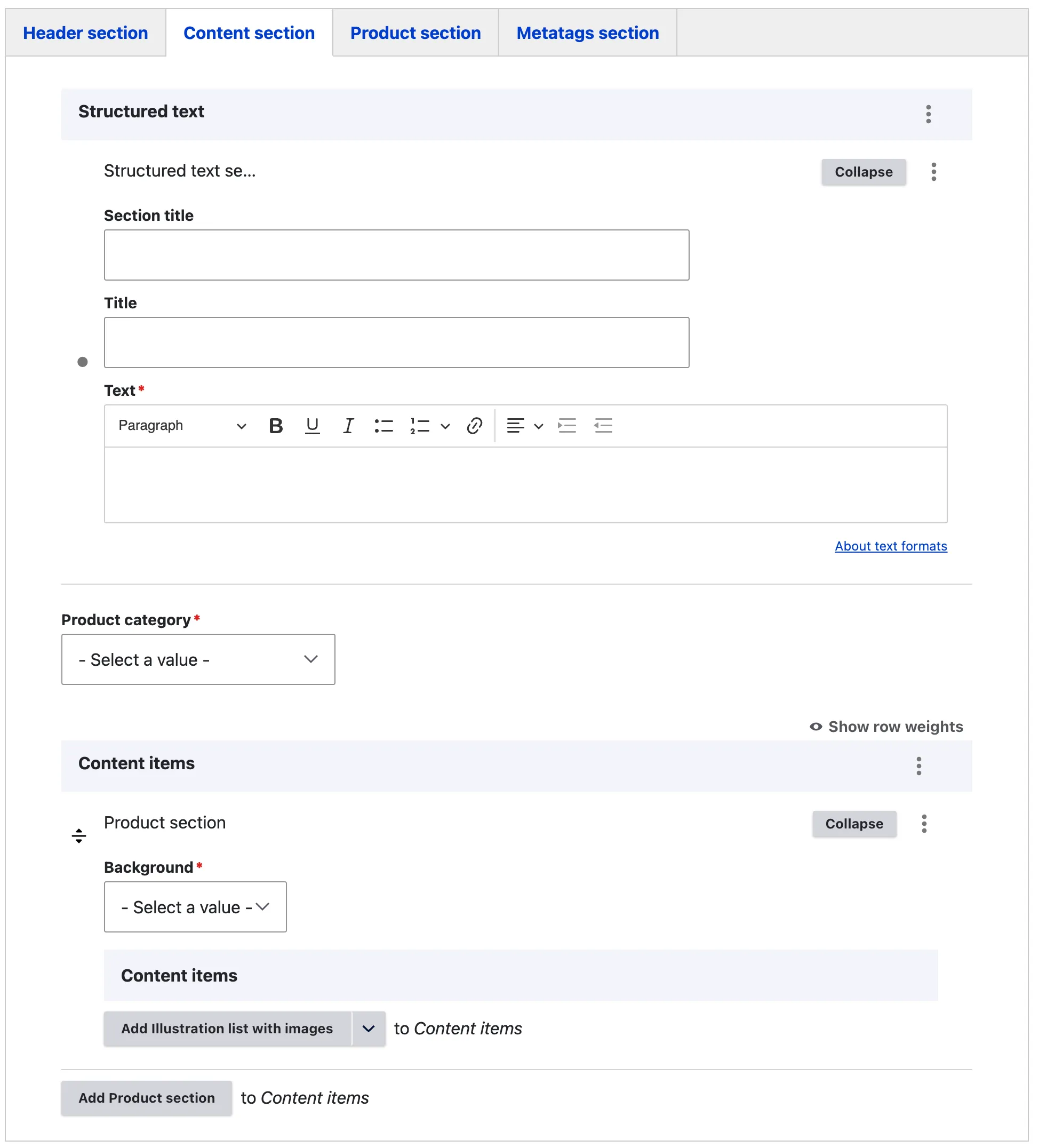
Content section tab
The ‘Structured Text Section’ is a rich text content item that enables editors to craft detailed paragraphs complete with a section title, an H2 paragraph title, and descriptive text.
The “Product category” field enables you to assign the product to its appropriate category within the EIFE portal. There is a predefined set of product categories available to choose from, ensuring consistency and easy navigation across all product pages within the portal. Selecting the correct category helps organise content effectively, making it easier for visitors to explore and understand the range of products featured.
- Cheese and dairy
- Chocolate and confectionery
- Fruits and vegetables
- Jam and honey
- Meat and meat products
- Olive oil
- Pasta and cereal
- Spices and herbs
- Wine, beers and spirits
The content items section enables editors to create a variety of visually appealing sections on the page, resulting in rich, engaging content that enhances the visitor’s experience.
The backgorund field enables editors to highlight a section on the page by applying a background colour Available colours include Green, Yellow, White, Transparent, and White Yellow. – refer to layout content items
The following content items fields are availble:
- Illustration list with images
- Illustration list with logos
- Large call to action section
- CTA button
- Media of type image
- Media of type video
- Multi-row structured content with icons
- Structured text section
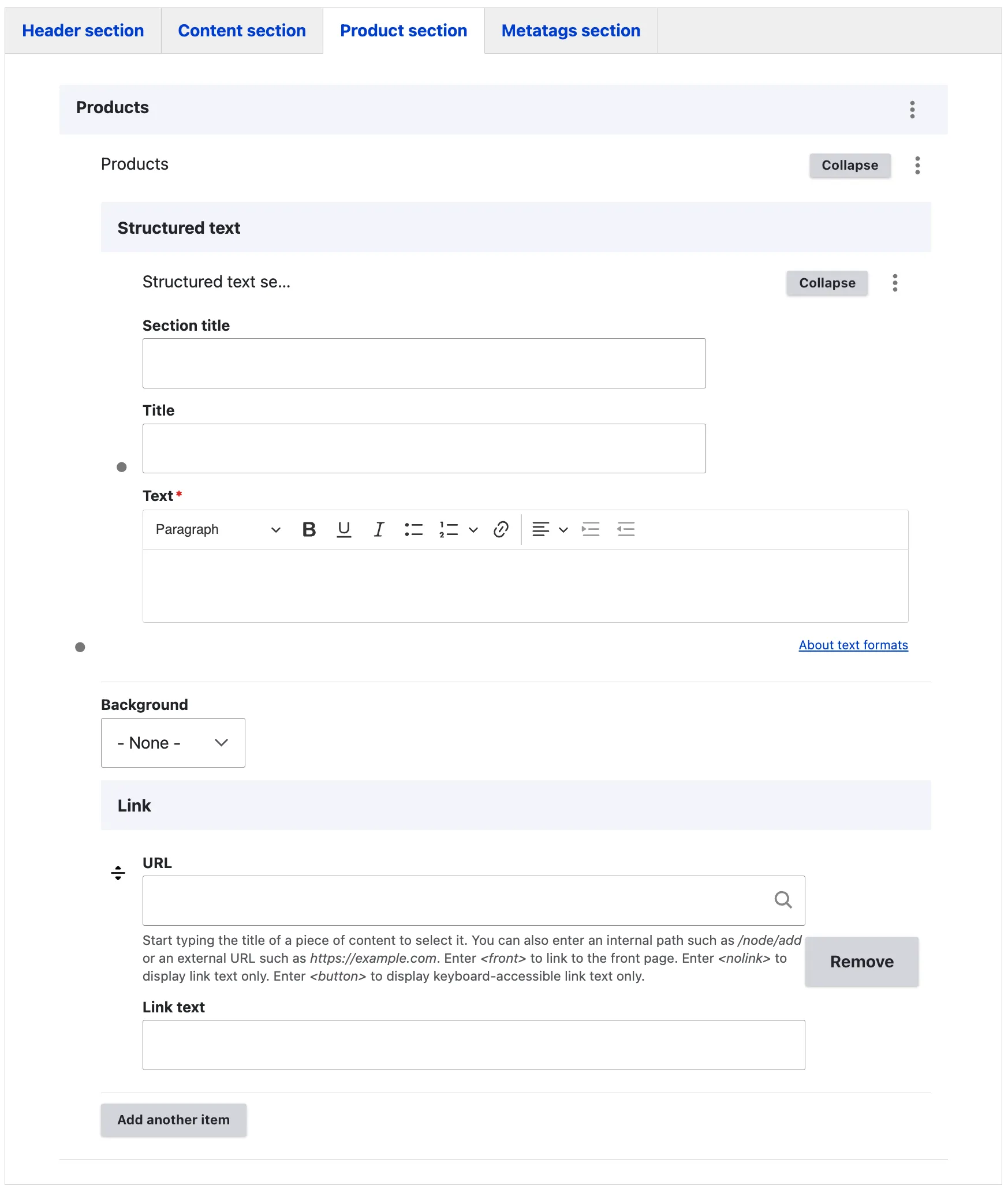
Prodcut section tab
The ‘Structured Text Section’ is a rich text content item that allows editors to craft detailed paragraphs with a section title, an H2 heading, and descriptive text. This feature is particularly useful for adding introductory and descriptive content related to products within a given category.
The background field provides editors with the ability to enhance sections of the page by applying background colours. Available options include Green, Yellow, White, Transparent, and White Yellow, offering visual flexibility – refer to layout content items.
Additionally, the link field enables editors to connect the content to other resources, such as the product category listing page that displays various product categories, or any external webpages that may be relevant to the site’s visitors.
Metatags section tab
The Metadata option in EIFE enhances your content with additional information to improve search engine visibility. For more information – refer to Metadata Options