Recipe content type
recipe-content-type #EIFE version 0.1 | 58s Read time
This content type is structured to provide a comprehensive format for presenting recipes, ensuring that all necessary information is conveyed clearly and attractively. It supports the inclusion of ingredients, step-by-step cooking instructions, and serving suggestions.
Creating a recipe
First got to domain content => your country site domain => Add content => Recipe
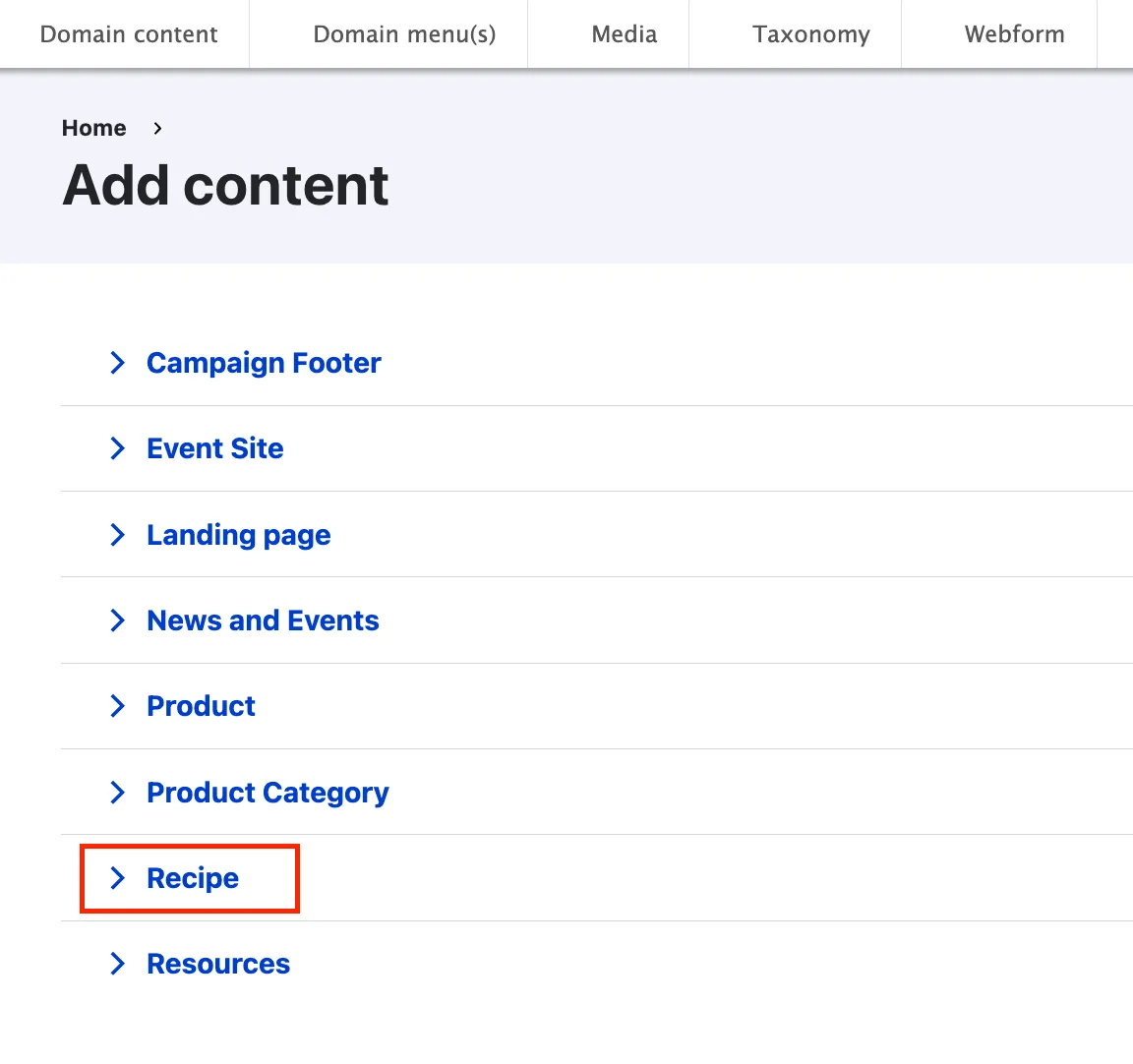
Recipe backend from tabs
As most content types, the recipe edit form is organised using tabs :
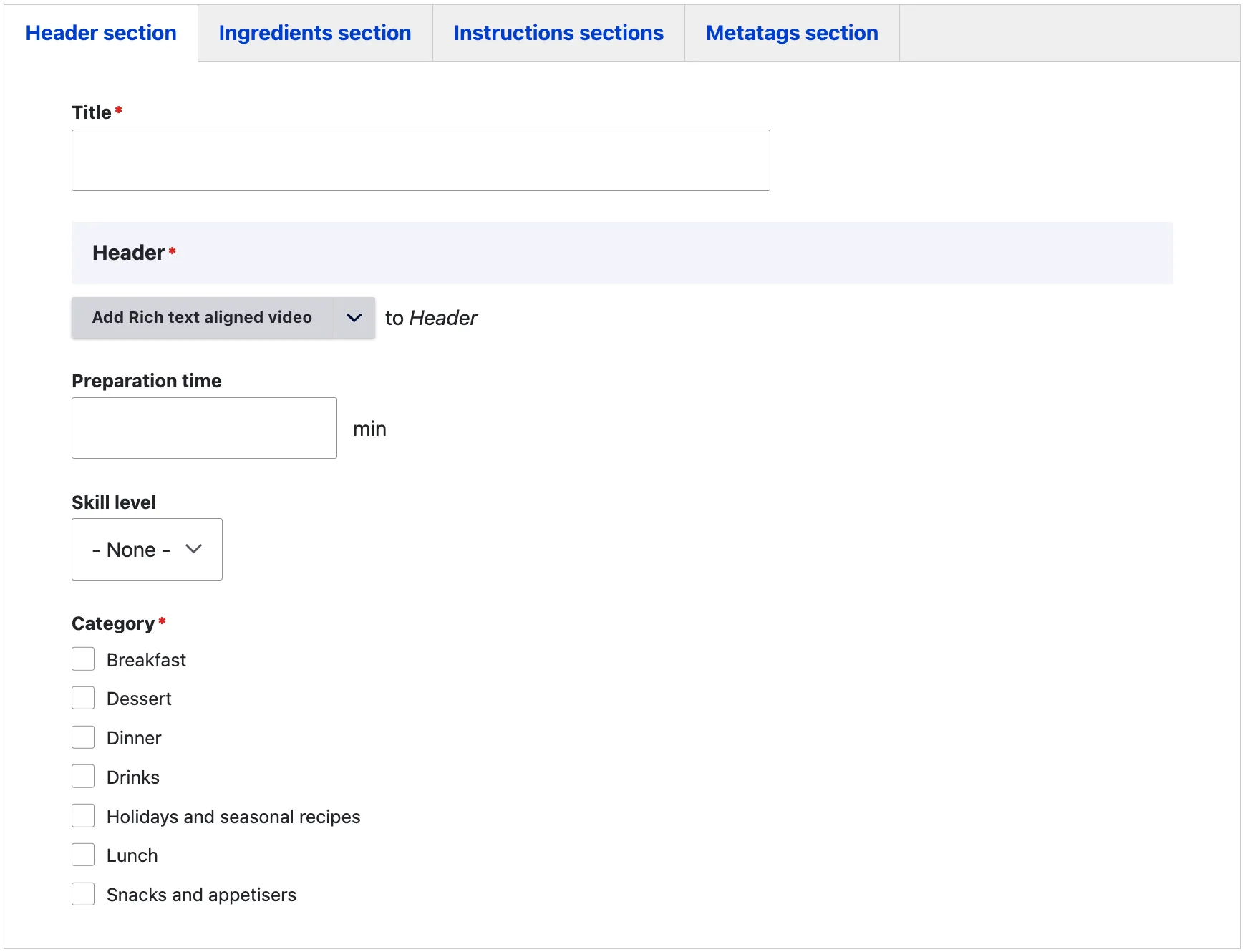
Header section tab
The title is only used internally to identify the page and will not be displayed on the front end.
The header section can be created using two different types of content items:
The preparation time should be specified in minutes, offering an indication of the total time required to prepare the recipe.
The skill level indicates the complexity of the preparation process, helping users understand the difficulty. The following skill levels are available:
- Easy
- Moderate
- Difficult
The recipe category is a mandatory field and plays a key role in the filtering mechanism. The available categories are:
- Breakfast
- Dessert
- Dinner
- Drinks
- Holidays and Seasonal Recipes
- Lunch
- Snacks and Appetisers
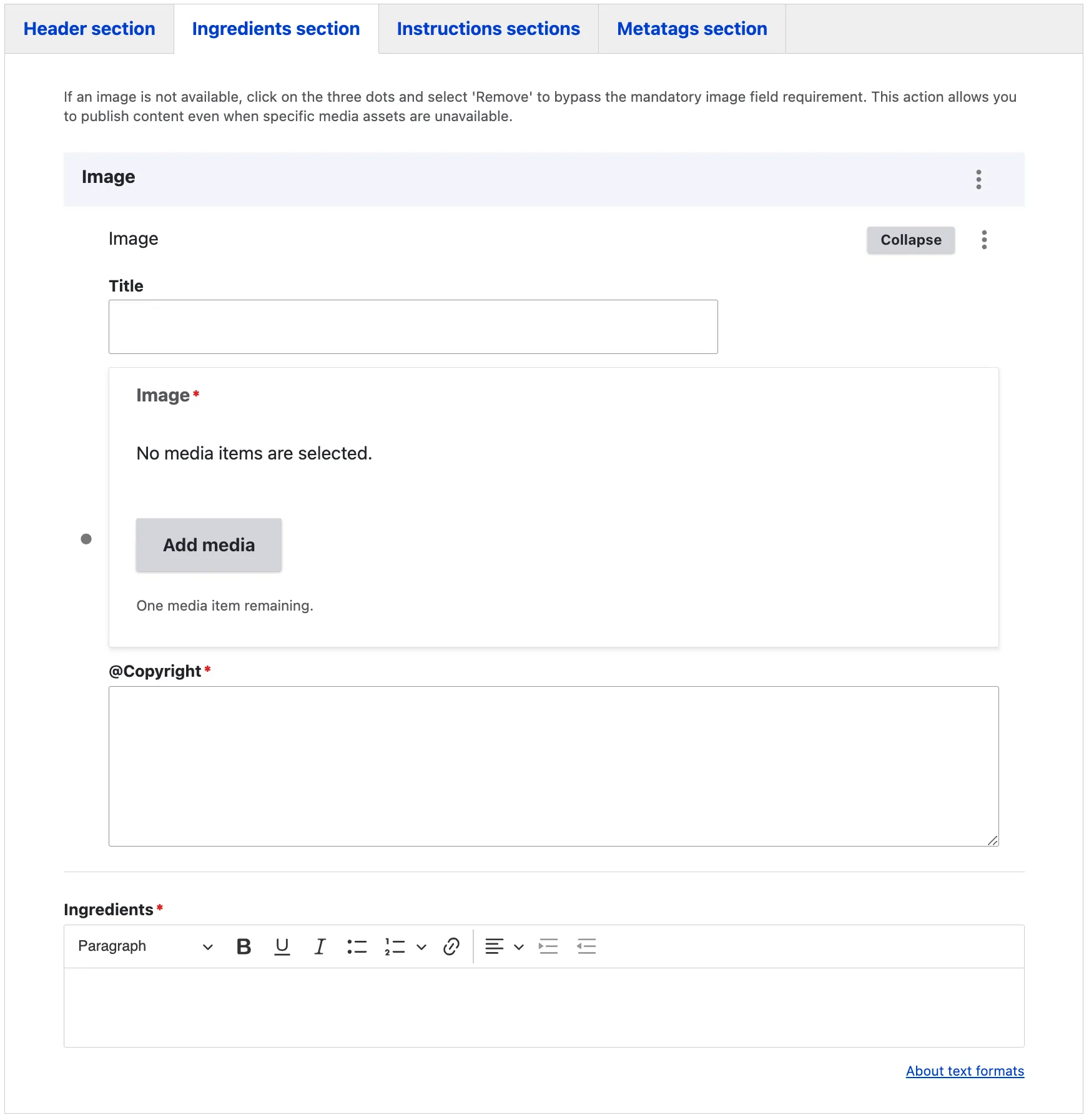
Ingredients section tab
The ingredients section allows you to list all the ingredients required for the recipe.
An image field is provided to add a visual element to the ingredients section. If no suitable image is available, you can click on the three dots and select ‘Remove’ to bypass the mandatory image field requirement. This option ensures you can publish the content even when media assets are not available.
Additionally, a WYSIWYG field is available for listing the ingredients clearly and concisely.
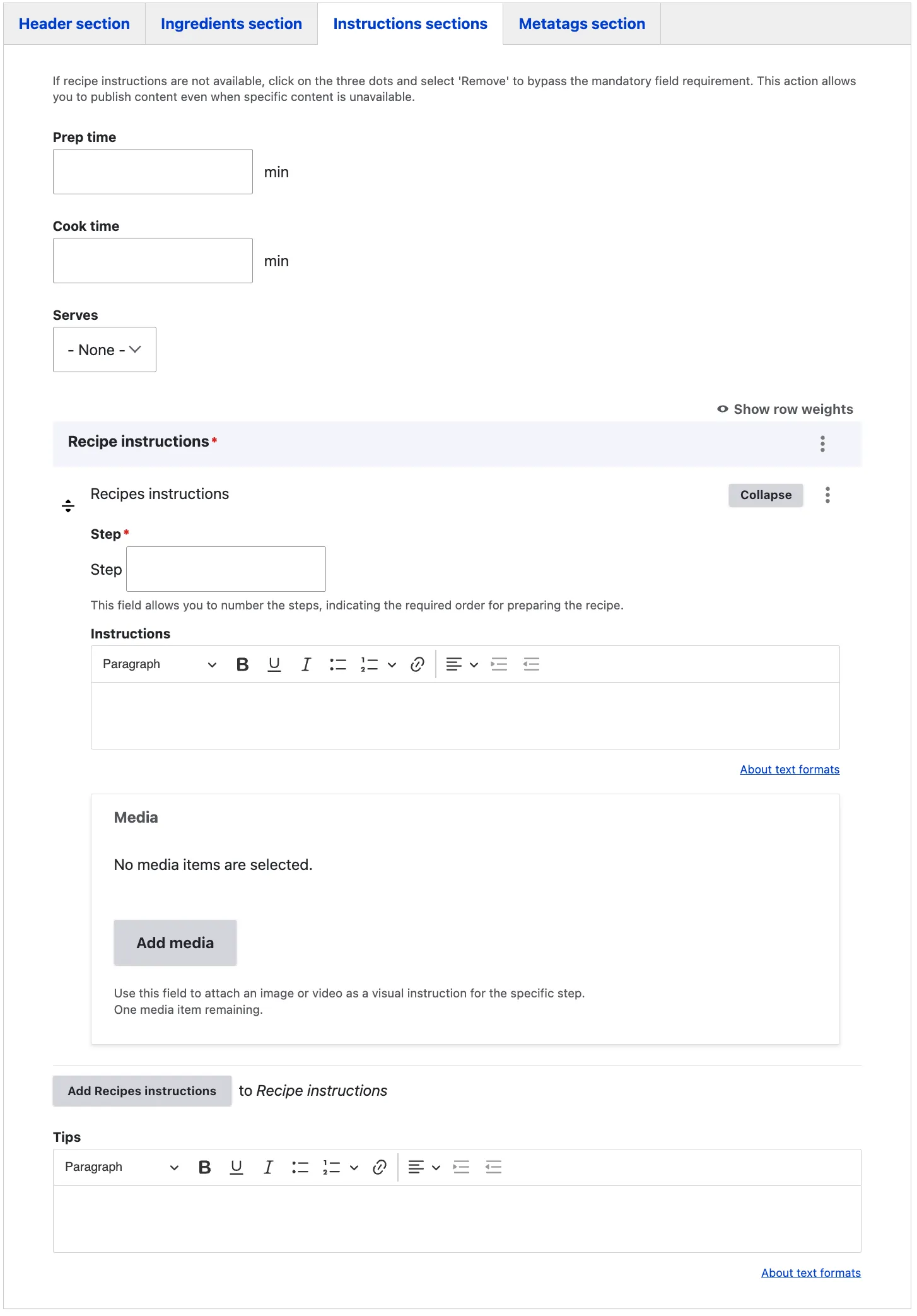
Instruction section tab
The Prep Time indicates the time required to prepare the ingredients before the actual cooking process begins. The Cooking Time represents the total time needed to fully prepare and cook the dish.
Within the Recipe Instructions section, you can provide a clear, step-by-step guide for the website visitor. Each Step should be numbered sequentially (e.g., 1, 2, 3), and the corresponding instructions for that step are detailed in the Instructions field. The Media field allows you to enhance the instructions by adding supportive images or videos for better clarity.
To add another step in the cooking process, click on Add Recipe Instructions to duplicate the instruction fields. If any tips or extra advice can assist the user in preparing the dish, they should be entered in the Tips field.
Metatags tab
The Metadata option in EIFE enhances your content with additional information to improve search engine visibility. For more information – refer to Metadata Options