News and events content type
news-events-content-type #EIFE version 0.1 | 2m 37s Read time
This content type is designed to effectively share updates, announcements, and scheduled events within the EIFE portal. It is particularly suited for providing timely and relevant information to the community, ensuring that visitors stay informed about recent developments, achievements, and upcoming activities in the European food and drink sectors.
This content type enables editors to create engaging and easy-to-navigate updates that capture the attention of the audience. By utilising features like event scheduling, highlighting important dates, and including multimedia content, this type of content helps foster a dynamic and well-informed community within the portal.
Creating a news or an event
First got to domain content => your country site domain => Add content => News and Events
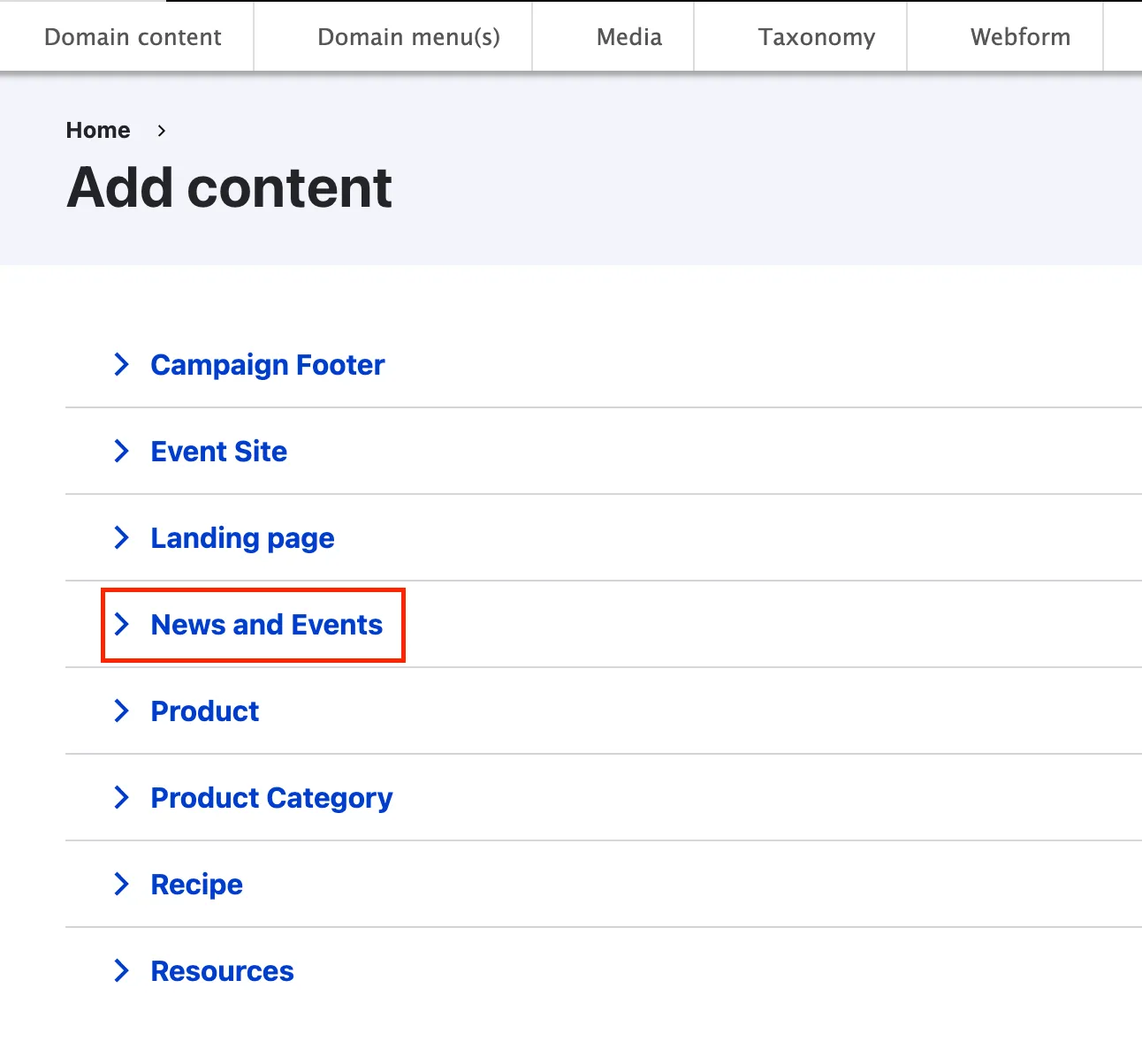
News and Events backend from tabs
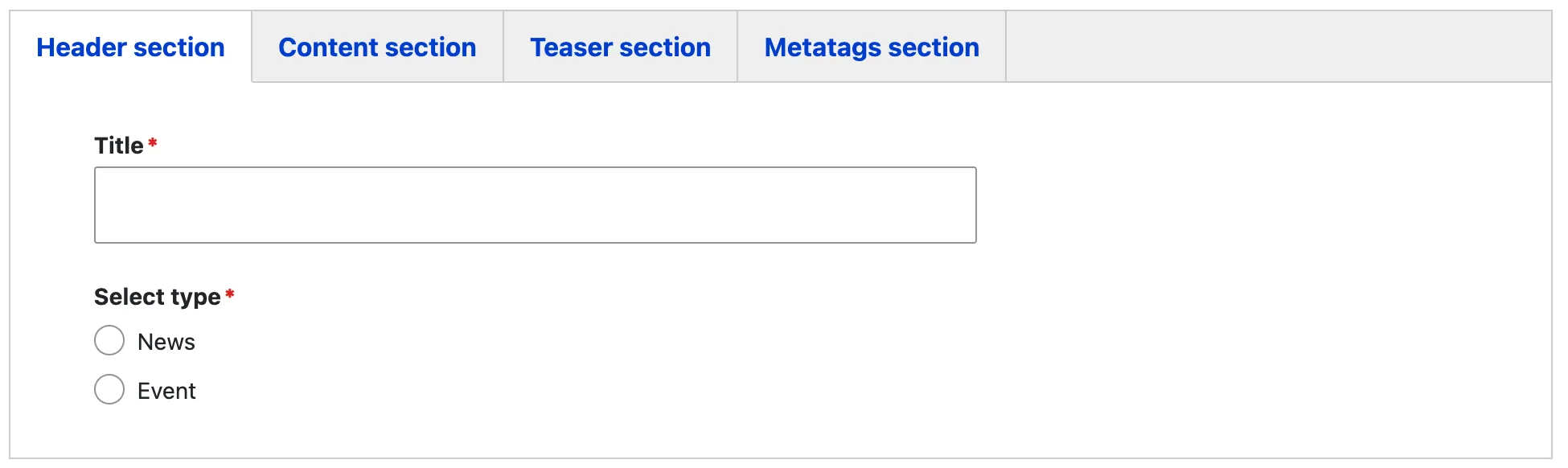
As most content types, the news and events edit form is organised using tabs :
Header section tab
This tab holds the “header content” part of your news and events page
The title of the news and event serves as the page’s H1 heading, providing clear identification of the news and event page. The ‘Select Type’ option allows you to specify the exact type that the news and events page covers.
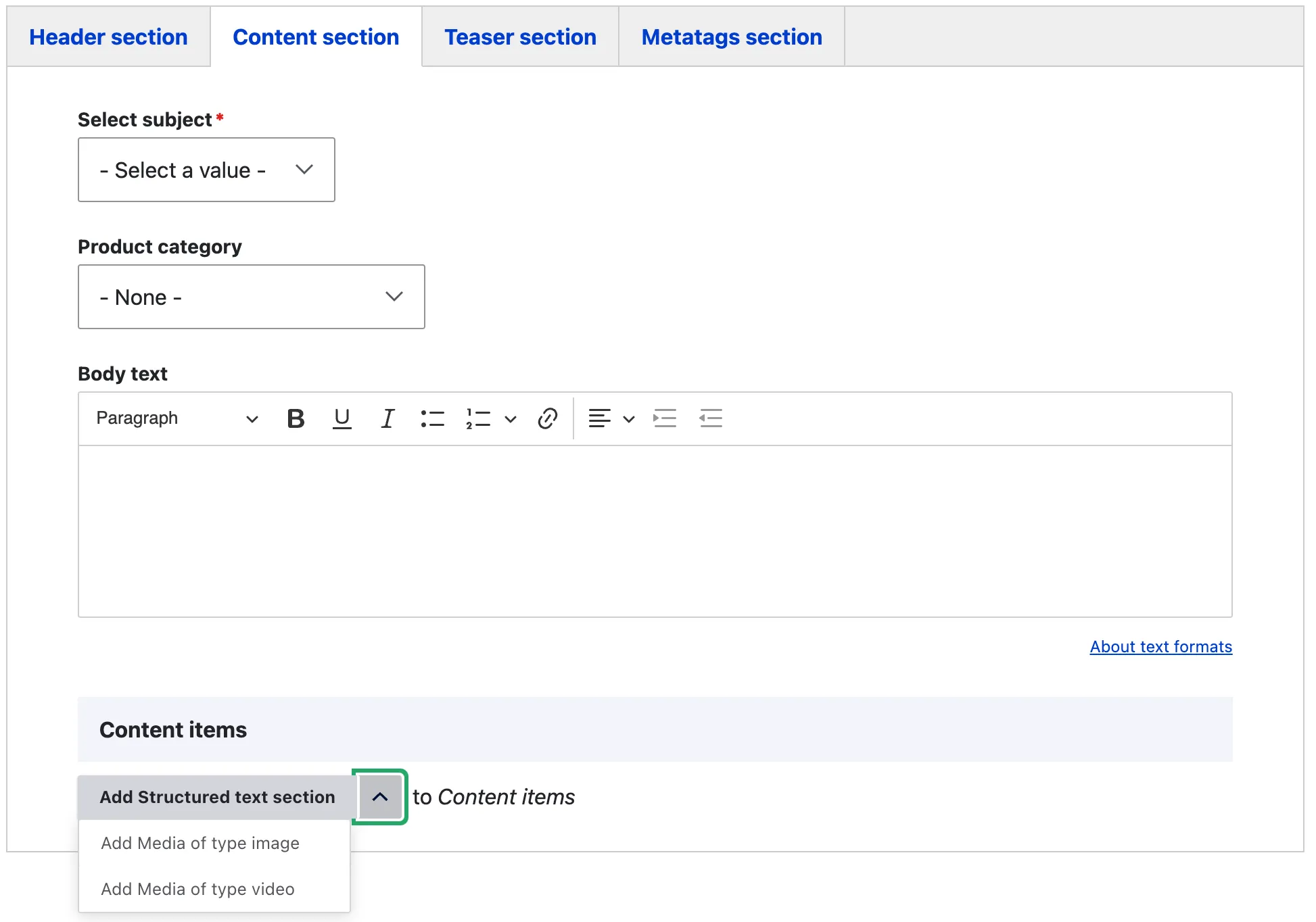
Content section tab section tab
The content section tab contains the content items that makes up the body of the news and event page. The select subject will allow the editor to assign a subject to the page this will be used in the filter items and allow to filter for pages that have the same subject. The Product category allows the editor to attach the news or event to a product category available with the EIFE portal The body text is the main WYSIG content field of the page. The age can be further enriched using other content items available in the EIFE portal
Practical information section tab
Note - On the Practical Information Section
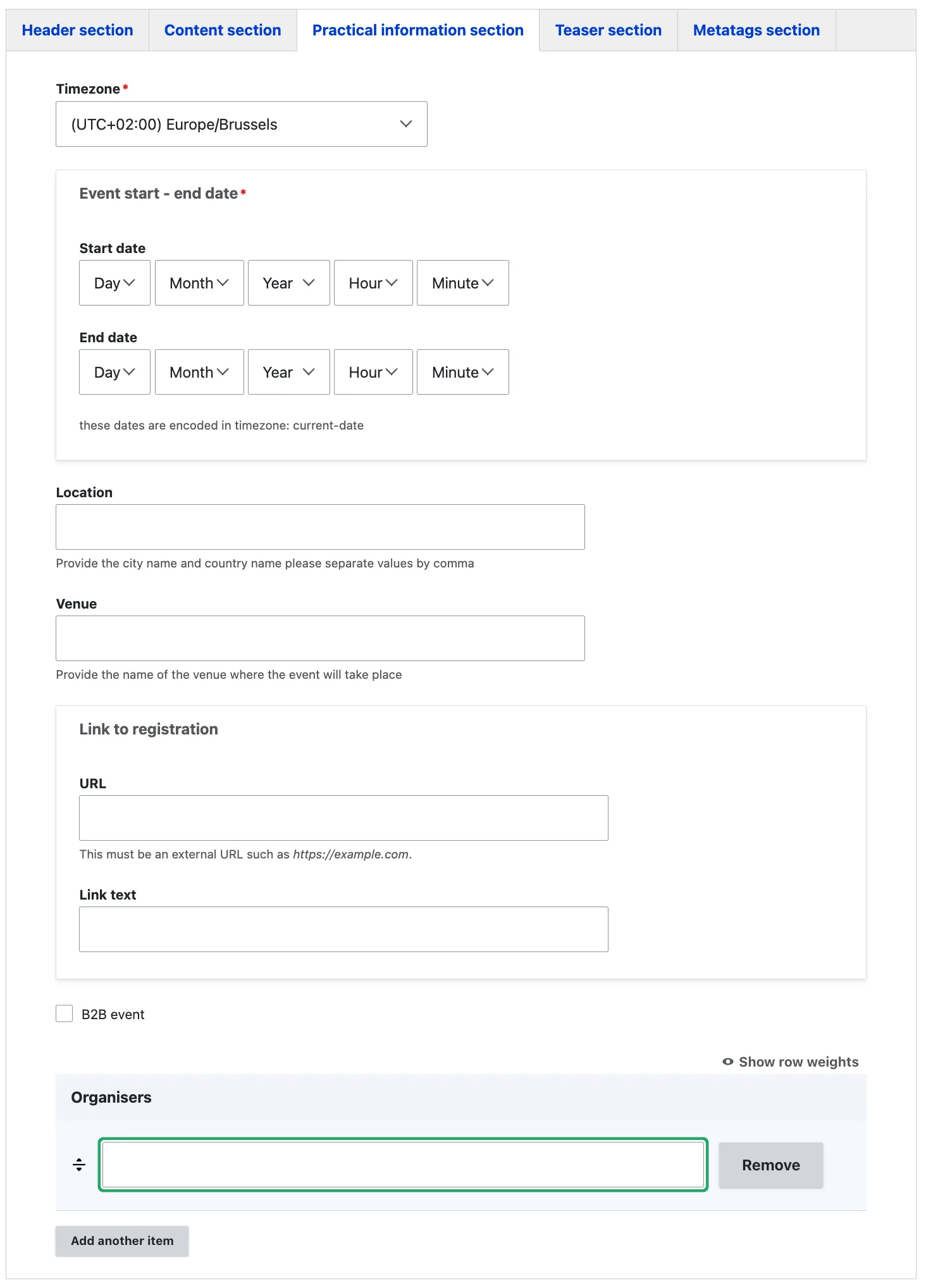
This section is only available when an event type is selected, and it contains specific information that can be provided for events.
The Practical Information section allows you to add the timezone, which is mandatory to ensure that the event time is accurately displayed for your target audience. This feature also enables visitors from other countries to see the event time adjusted for their local timezone.
The Event Site’s Practical Information section provides editors with a way to add key event details in a concise format. This includes the Date, Time, Location, and Venue, offering clear and essential information about the event. A link to registration is also available, allowing you to link to an external or internal registration form to guide visitors in signing up or learning more about the event easily. If the event is aimed at businesses, a ‘B2B event’ checkbox is available to indicate this designation.
The Organisers field allows you to add the names of the event organisers, with the option to include multiple entries if needed.
Teaser section tab
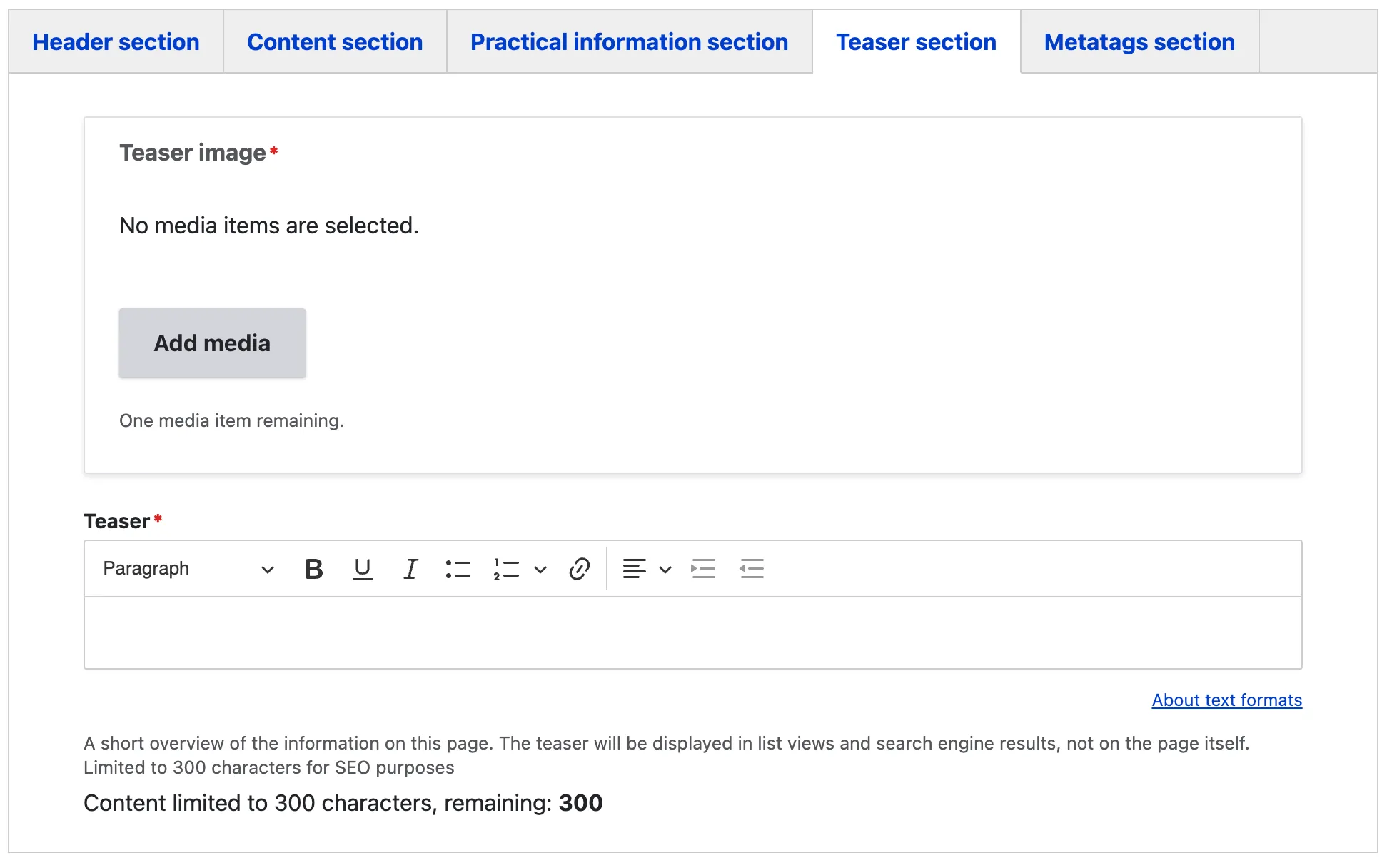
The following information is mandatory as it will be used to create news and events listings and serve as an entry point to the page.
At a minimum, a representative image and a teaser describing the news and events must be provided.
Metatags section tab
The Metadata option in EIFE enhances your content with additional information to improve search engine visibility. For more information – refer to Metadata Options
Right hand side region
In addition to the tabs the news and events content type has other configurable features.
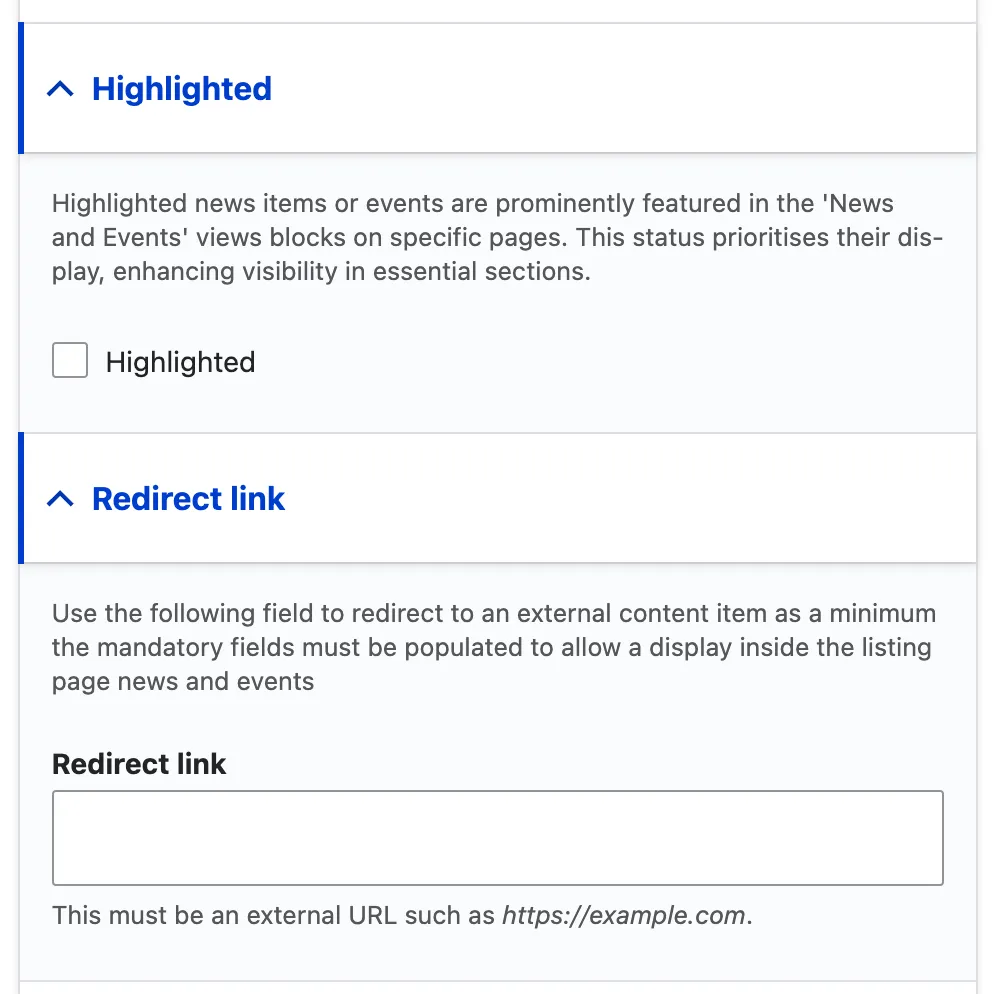
Highlighted
Highlighted news items or events are prominently featured in the ‘News and Events’ views blocks on specific pages. This status prioritises their display, enhancing visibility in essential sections.
Redirect link
Use the following field to redirect to an external content item as a minimum the mandatory fields must be populated to allow a display inside the listing page news and events