Webform Content type
webform-content-type #EIFE version 0.1 | 58s Read time
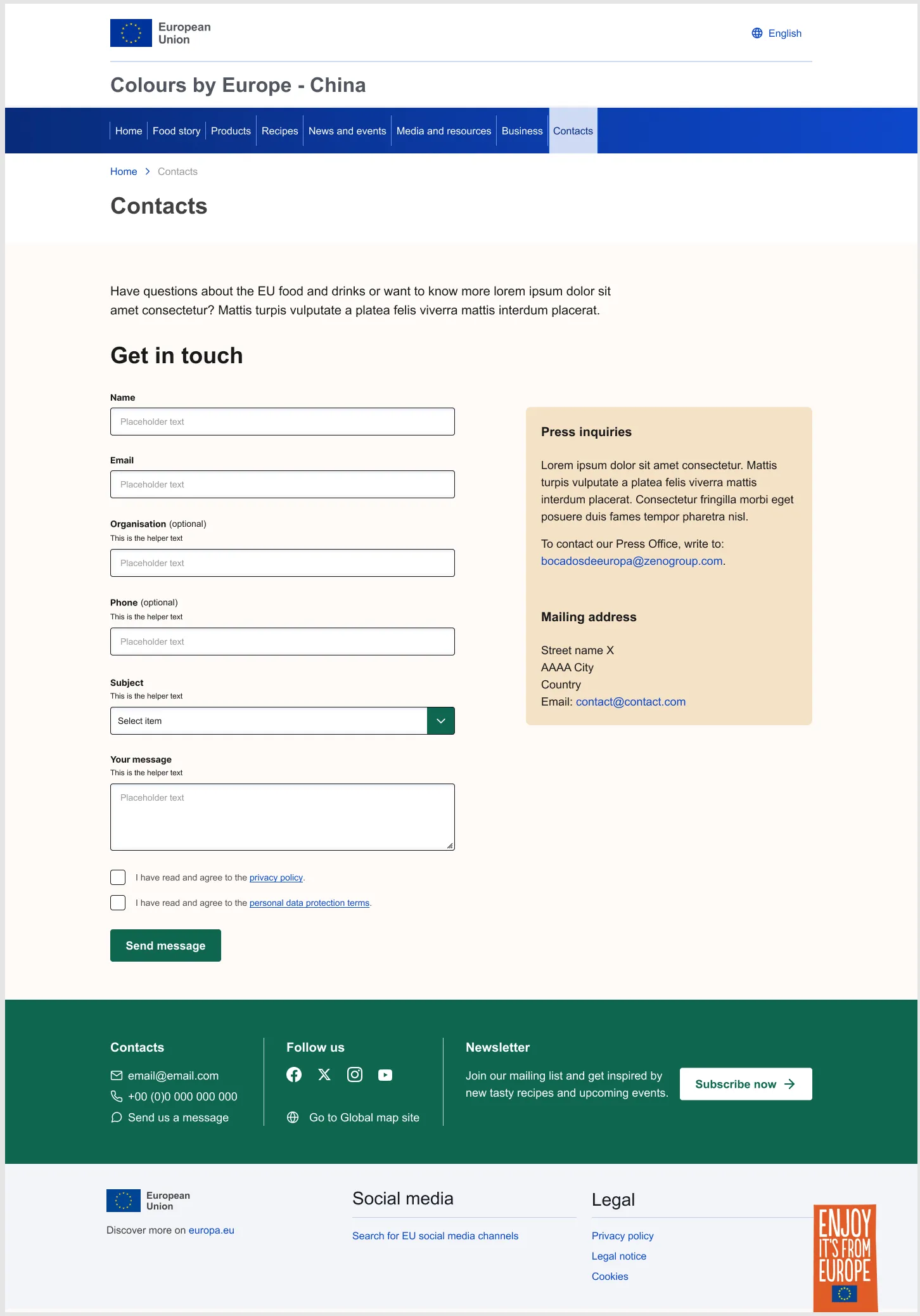
The webform content type allows editors to manage forms on content pages within the EIFE portal. This content type is designed for creating contact forms, surveys, feedback forms, and other data collection tools.
Webforms cannot be added directly by editors; they must be requested from the technical team maintaining the EIFE portal. Although all editors within a domain have access to view submission results and use basic functionalities, only one designated account will be assigned as the webform admin. This account will have full access to build and manage the webform, ensuring proper structure and data handling.
Note - on webforms
This user guide focuses on the functionalities built specifically for the EIFE portal, and does not cover the actual form-building process. The form-building features are provided by the Drupal community, and extensive tutorials are available online. For example, you can refer to Getting Started with Webform in Drupal to learn more about how to build a webform.
Webform backend from tabs
As most content types, the webform edit form is organised using tabs :
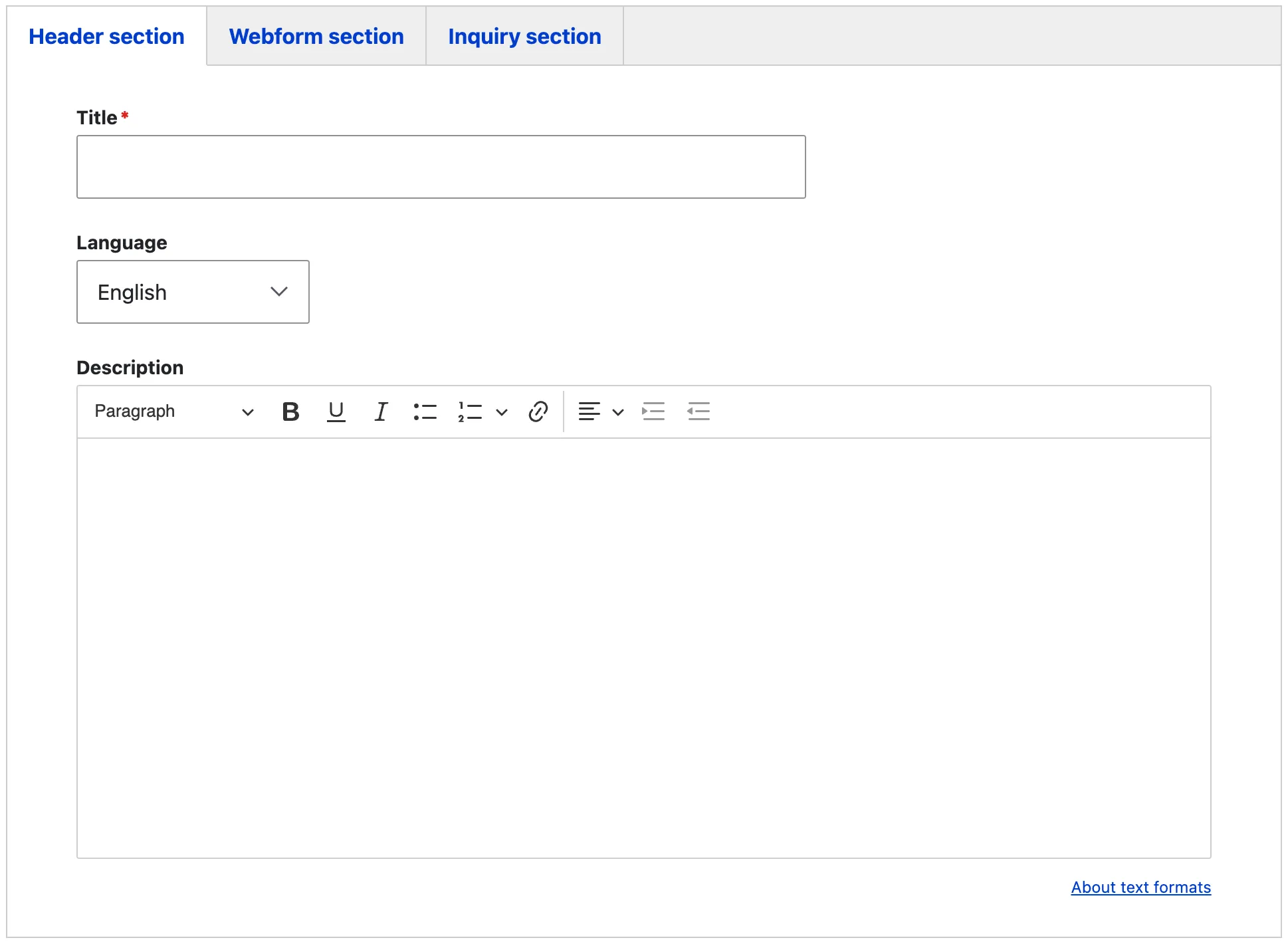
Header tab
This section includes a title and a brief description, serving as an introductory text to the webform.
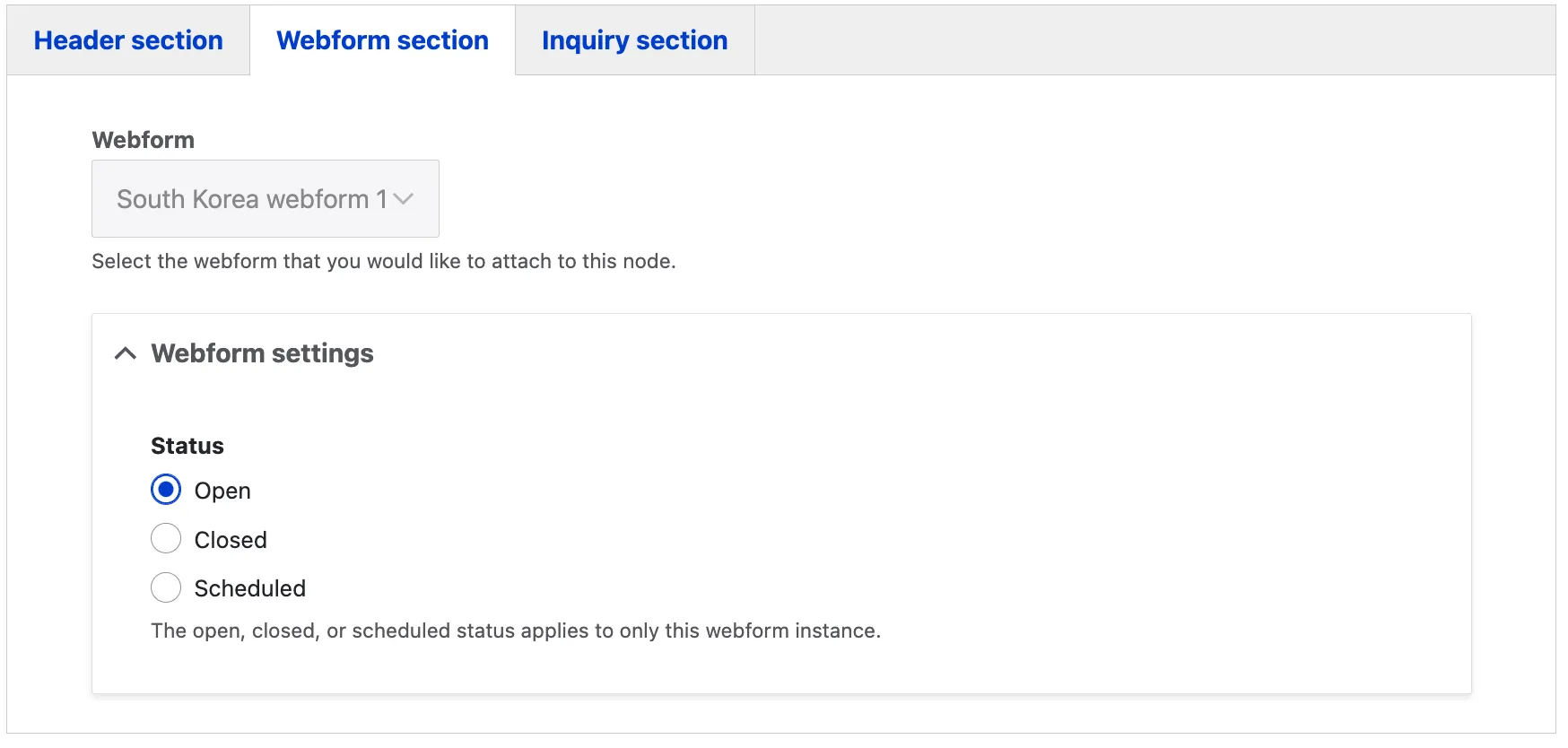
Webform section tab
The webform section allows editors to manage the availability of a webform through its settings. There are three status options: Open, Closed, and Scheduled. If Scheduled is chosen, a timeframe must be provided to define when the webform will be accessible. This flexibility ensures the webform is available only during intended periods, such as specific event registrations.
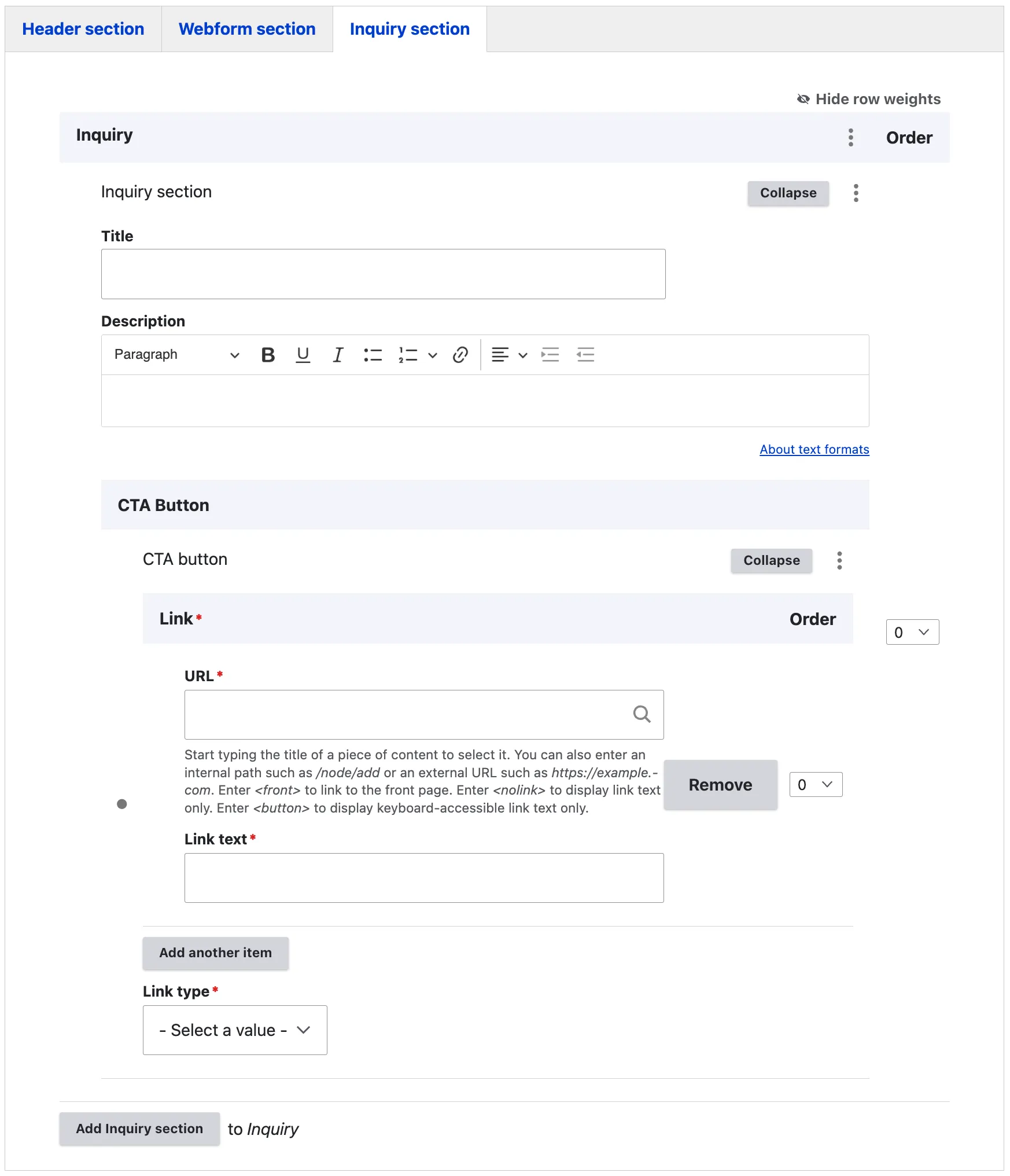
Inquiry section tab
The inquiry section provides space to add supportive material on the right-hand side of the webform. This content can be used as additional information, instructions, or context to assist users as they fill out the form.
The CTA (Call to Action) enables editors to enhance existing content by creating links to external or internal resources. This feature allows for a seamless connection to additional information or related pages, providing an easy way to access further content.
Figma Mockup