The EIFE content workflow
content-workflow #EIFE version 0.1 | 1m 39s Read time
The EIFE platform features a robust content management workflow designed to efficiently manage the website content. It supports crucial functions such as content validation, revision tracking, change logs, and publication processes.
To enhance flexibility, each user can progress content through the workflow, fostering a sense of ownership and proactive engagement among editors. While the system is designed to be adaptable, it also facilitates the establishment of structured workflows where each user understands their specific responsibilities in relation to the content being published.
Content management roles
Workflow transitions are managed uniformly by all users associated with a country site. Any sophisticated workflow should be devised as a flexible process rather than a rigid technical implementation. Generally, the simplest processes prove to be the most efficient. For instance, a Country Site Coordinator could guide content through specific stages, while content validation and publication authorisation are provided by REA simply by selecting the appropriate state within the workflow.
The content workflow states
During the lifecycle of a piece of content, it will transition through several workflow states :
- Draft: This initial stage is where all content begins. The Author can create and modify drafts as needed until the content is ready for review, validation, or publication. The creation of the first draft generates the first revision, and any subsequent edits to reviewed or validated content result in a new draft. For more details, – refer to Managing Revisions.
- Request Validation: At this stage, the content is ready to be reviewed by the Validator. The Validator has the option to either approve the content or send it back to the Author if revisions are needed (see Needs Review).
- Needs Review: If content is rejected, it enters this state where it must be revised by the Author based on feedback provided by the Validator. After making the necessary changes, the Author can resubmit the content for validation by changing its state back to Request Validation.
- Validated: This state indicates that the content has been approved by the Validator and is ready for publication.
- Published: Content in this state is live on the website and visible to all. If edits are necessary, the content must either be unpublished or a new draft must be created.
- Unpublished: This state applies to content that was previously validated and published but is now removed from live view on the website.
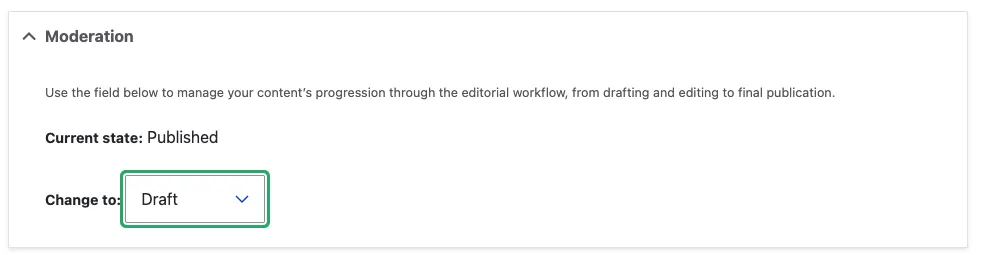
Transition from a state to another is done via a workflow control displayed on the pages :