Header content items
header-content-items #EIFE | 1m 44s Read time
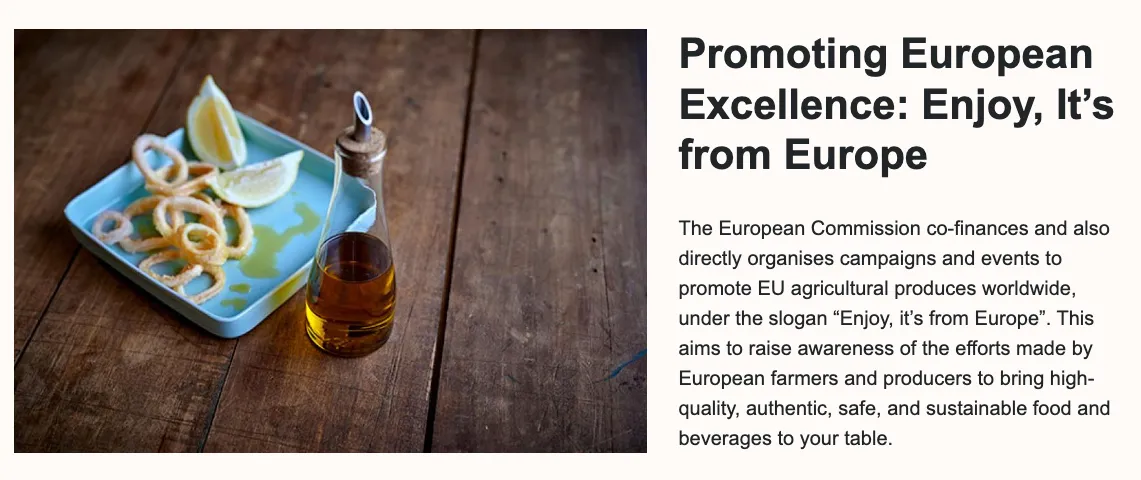
The header content item allows the creation of different types of headers for the page. These headers can be customised to suit various page layouts and styles, ensuring a flexible and visually consistent design throughout the site.
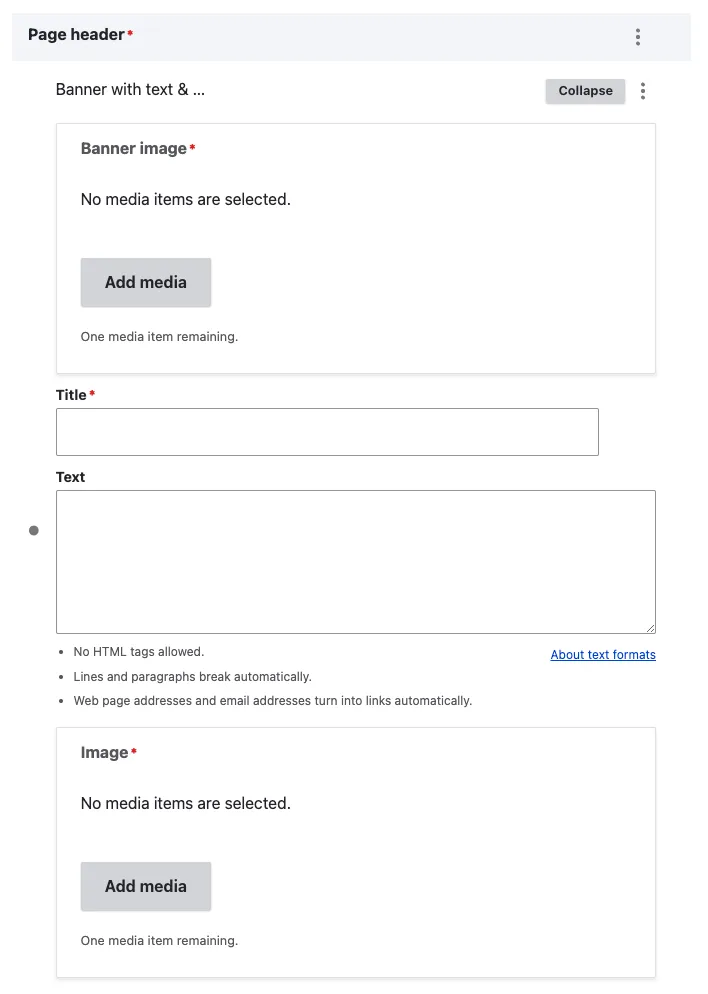
Banner with text & image
View edit form
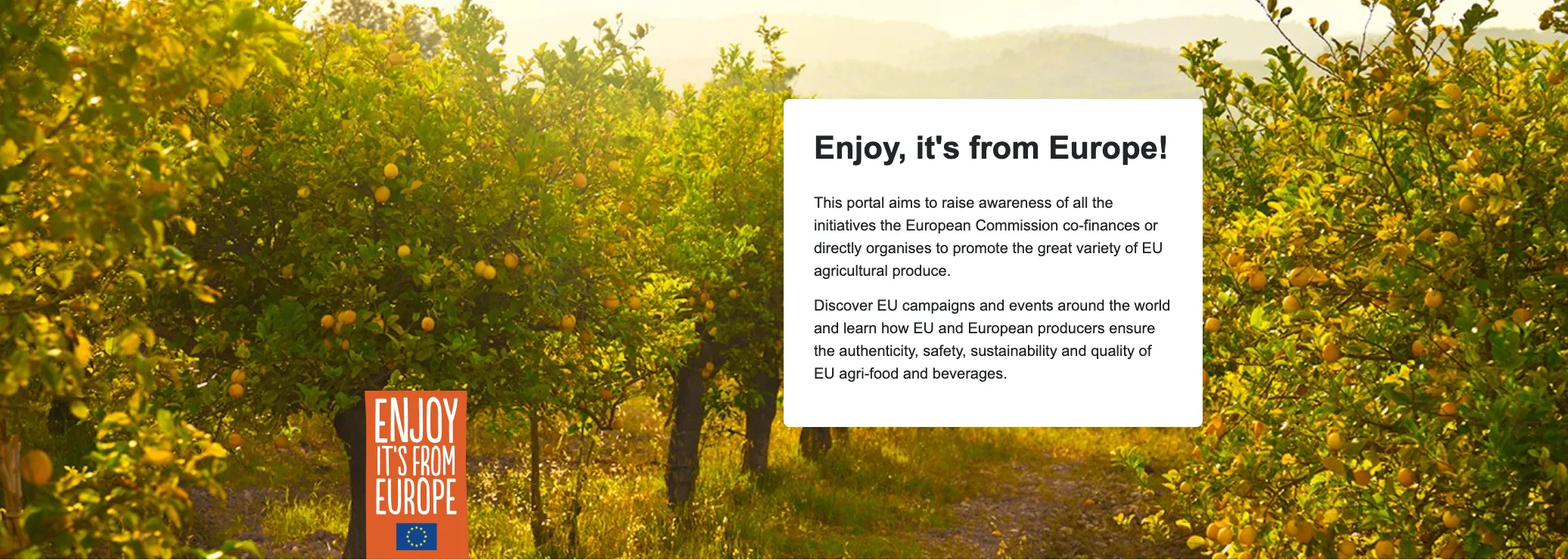
For the banner image, it is recommended to use horizontal images that maintain a 16:9 aspect ratio. A commonly used size is 1920x720, but any image size that follows these proportions will ensure the image is displayed correctly without inappropriate cropping. The title will be an H1, and the accompanying text should be kept short and to the point. Additionally, the final image field is for adding the project’s visual identity icon. We suggest using the “Enjoy It’s From Europe” icon or the appropriate icon for your specific project.
View display mode
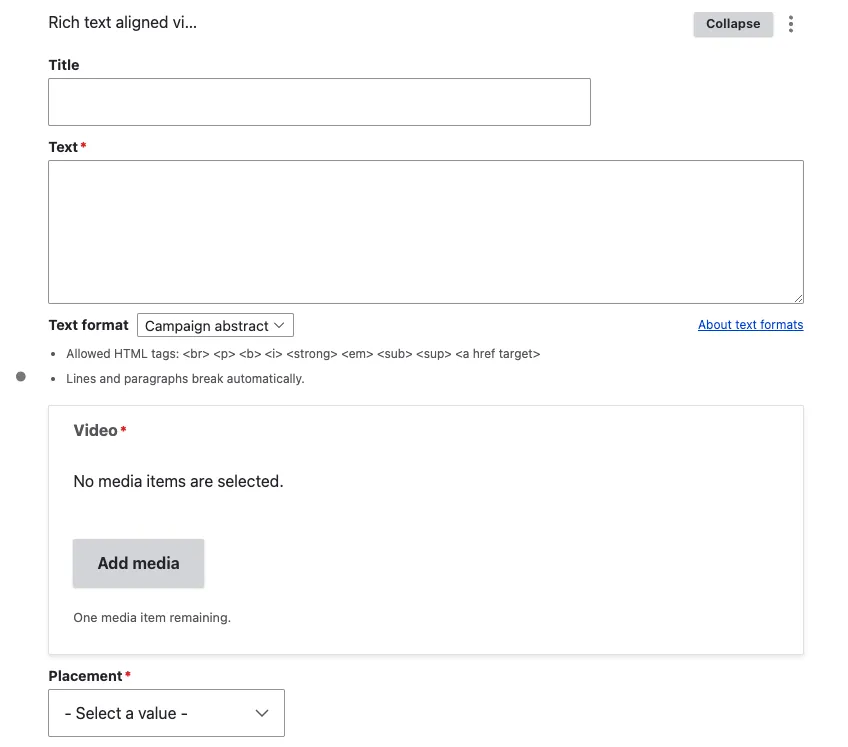
Rich text aligned video
View edit form
The title will be an H1 and will be aligned with the video for a balanced layout. The text is a short description that can be placed next to the video. It should be kept concise to avoid lengthy text, as this could result in poor layout for a header, disrupting the visual harmony between the title, image, and description.
The placement option allows you to display the image either to the right or the left of the text. This flexibility ensures that the layout can be adjusted to suit the design needs of the page while maintaining a visually appealing balance between the text and the image.
Note - on videos
For the header, we recommend using video embeds from the EC AV channel wherever possible. This helps to avoid the iframe restrictions imposed for GDPR compliance, ensuring a smoother user experience and reducing potential privacy issues.
View display mode right align

View display mode left align

Rich text aligned image
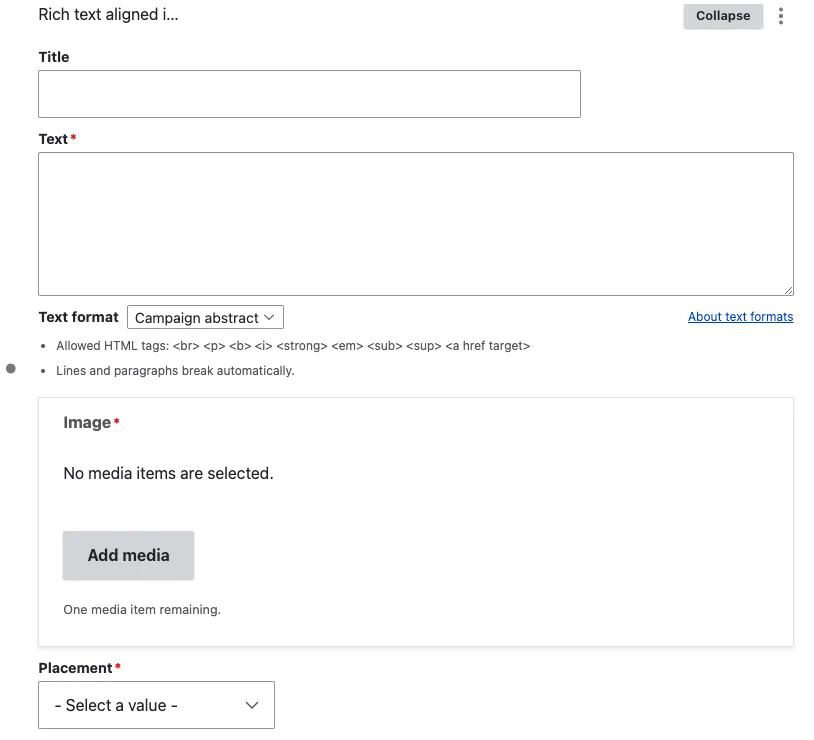
View edit form
The title will be an H1 and will be aligned with the image for a balanced layout. The text is a short description that can be placed next to the image. It should be kept concise to avoid lengthy text, as this could result in poor layout for a header, disrupting the visual harmony between the title, image, and description.
The placement option allows you to display the image either to the right or the left of the text. This flexibility ensures that the layout can be adjusted to suit the design needs of the page while maintaining a visually appealing balance between the text and the image.
View display mode right align

View display mode left align